
7 Best AI Tools in 2026 That Are Actually Worth Using
AI tools are getting better incredibly fast, but with hundreds of new platforms appearing every year, figuring out which ones are actually useful can be difficult. Some can create videos from a single image, others can build presentations, generate artwork, improve audio, or help you work faster.
For this guide, we selected 7 AI tools in 2026 that stand out for what they can actually do. Whether you're creating videos, designing content, working, studying, or experimenting with AI, these are tools worth knowing about.
Below, we'll look at what each one does, its biggest advantages and drawbacks, and who it's best for.
1. Vidu AI – Best AI Video Generator for Fast Creative Videos
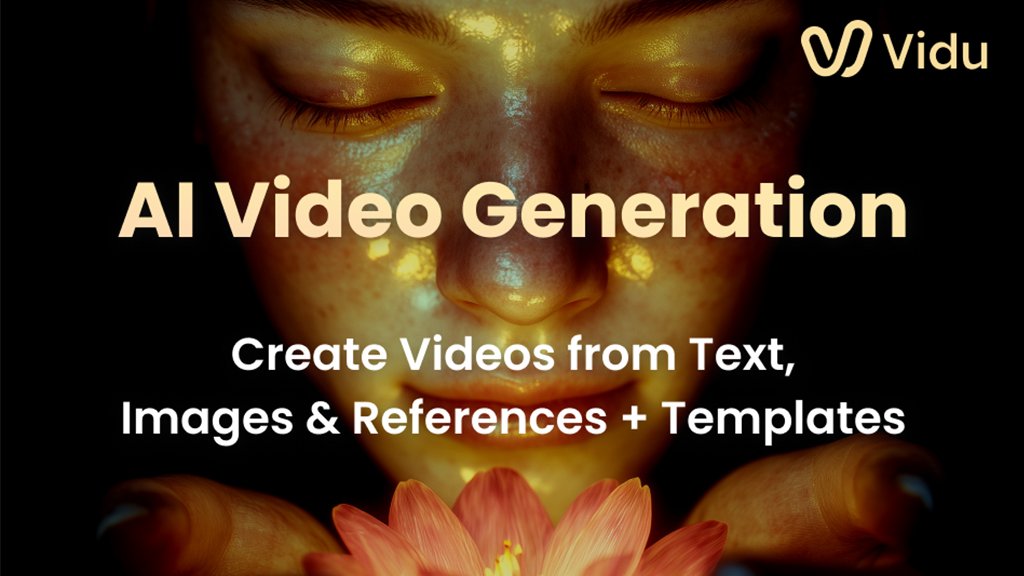
Vidu AI is an AI video generator that can turn written prompts, still images, and reference images into animated or realistic video clips. It is designed for creators who want to produce short videos without traditional filming, animation, or complicated video-editing software.
One of Vidu's most useful features is its ability to work from reference images. You can give the AI images of characters, objects, or scenes and use them as visual references when generating a new video. This can help maintain a more consistent appearance between shots, which is especially useful for storytelling, social-media videos, advertisements, and AI-created short films.
Vidu also supports text-to-video and image-to-video generation, so you can start with nothing more than an idea or animate an existing picture. Generations can still require some experimentation with prompts, and more complex scenes may take several attempts to get exactly right, but the overall workflow is much faster than creating similar footage manually.
✅ Pros
- Generates videos from text prompts
- Can animate existing images
- Reference-to-video helps maintain character and object consistency
- Supports multiple reference images
- Works well for realistic and animated video styles
- Useful for social media, storytelling, ads, and creative projects
- Free credits are available for trying the platform
❌ Cons
- Complex scenes can require several generations before getting the desired result
- Regular video creation can use credits quickly
- AI-generated movement and details are not always perfectly consistent
Best For: Content creators, YouTubers, TikTok and Facebook creators, marketers, storytellers, and anyone who wants to turn prompts or images into AI-generated video without traditional video production.
⭐⭐⭐⭐⭐ 4.6/5

2. InVideo AI – Best for Turning Ideas Into Complete Videos
InVideo AI is built for people who want to create complete videos from a simple idea or written prompt. Instead of starting with an empty editing timeline, you can describe the video you want and let the platform help generate the script, visuals, voiceover, music, and overall structure.
One of InVideo's biggest strengths is how much of the production process it can handle in one place. It can be used for social-media videos, YouTube content, marketing videos, AI-generated ads, and other short-form content without requiring advanced editing skills. This makes it especially useful for creators who want to move from an idea to a finished video quickly.
The platform also offers AI avatars, image-to-video tools, voice generation, music, and other creative features. As with most AI video platforms, the first result may not always be perfect, so some editing or prompt adjustment can still be necessary. But for creators who want an all-in-one AI video workflow, InVideo is one of the more complete options available.
✅ Pros
- Can turn written prompts into complete videos
- Helps generate scripts, visuals, voiceovers, and music
- Useful for YouTube, social media, marketing, and ads
- Includes AI avatars and image-to-video tools
- Beginner-friendly compared with traditional video editors
- Good all-in-one workflow for fast content creation
- Reduces the amount of manual editing needed
❌ Cons
- Generated videos may still need manual adjustments
- Some AI results can feel generic without detailed prompts
- Advanced creators may want more fine-grained editing control
Best For: YouTubers, social-media creators, marketers, small businesses, and beginners who want to create complete videos quickly without doing every part of the production process manually.
⭐⭐⭐⭐⭐ 4.7/5
3. PopAi – Best All-in-One AI Tool for Presentations & Documents
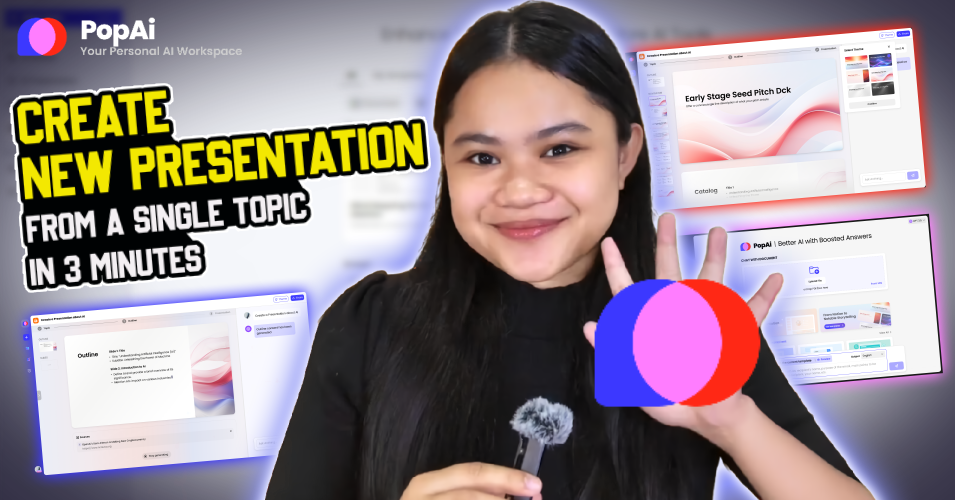
PopAi is an all-in-one AI productivity platform built around presentations, documents, research, and everyday content creation. One of its biggest strengths is the ability to turn a simple prompt, PDF, Word document, PowerPoint file, or even a web page into a structured presentation without having to build every slide manually.
PopAi is especially useful when you're working with large documents. You can upload PDFs or other files, ask questions about their contents, generate summaries, extract important information, and then use that material to create a presentation. That makes it useful for students, teachers, business users, researchers, and anyone who regularly works with reports or long documents.
Beyond presentations, PopAi also includes AI chat, writing tools, spreadsheet features, and image generation. It won't replace specialized software for every task, but having several AI productivity tools inside one platform makes it convenient for people who would rather avoid jumping between multiple apps.
✅ Pros
- Creates presentations from simple prompts
- Can turn PDFs, Word files, PPTX files, and web pages into presentations
- Lets you chat with PDFs and ask questions about documents
- Can summarize long documents and extract key information
- Includes AI chat, writing, spreadsheet, and image tools
- Useful for students, work projects, research, and business presentations
- Combines several productivity tools in one platform
❌ Cons
- AI-generated presentations may still need manual editing and fact-checking
- Some advanced features require a paid plan
- Specialized tools may offer more control for individual tasks
Best For: Students, teachers, office workers, researchers, business users, and anyone who frequently needs to turn documents or ideas into presentations quickly.
⭐⭐⭐⭐⭐ 4.5/5
4. PromeAI – Best AI Tool for Design & Visual Creation
PromeAI is an AI-powered creative platform built for people who want to turn ideas, sketches, and existing images into polished visual designs. Instead of focusing on just one type of AI generation, PromeAI brings together a large collection of tools for creating and transforming images, designs, and videos.
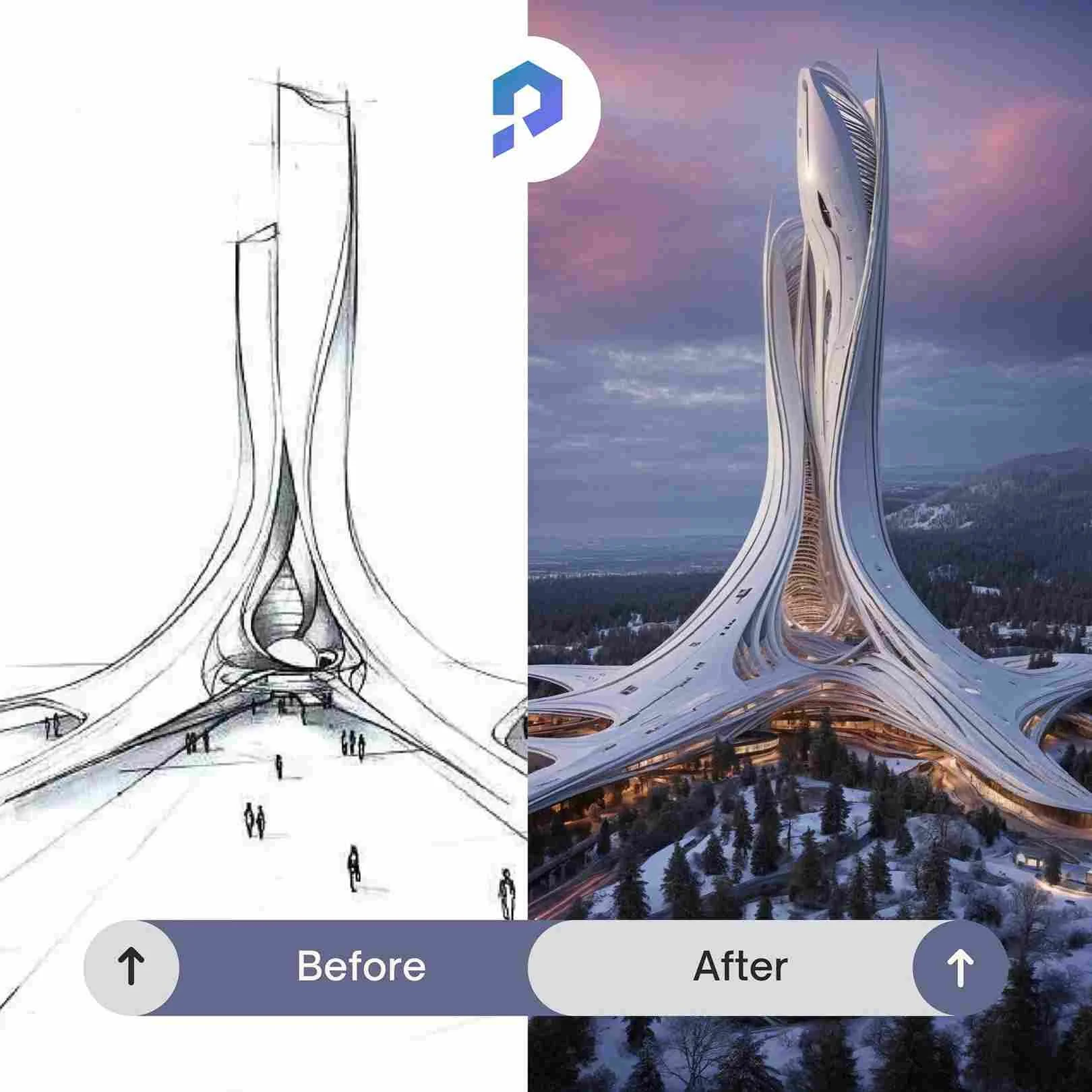
One of its most interesting features is Sketch Rendering. You can start with a simple drawing or design concept and use AI to transform it into a much more realistic image. This makes PromeAI particularly useful for interior design, architecture, product concepts, landscapes, fashion ideas, and other projects where visualizing an idea quickly can save a lot of time.
PromeAI also includes AI image generation, image-to-video and text-to-video tools, background removal, image enhancement, creative editing, and other visual features. With so many tools available, new users may need some time to explore everything, but creators who regularly work with visual content get an impressive amount of functionality in one platform.
✅ Pros
- Turns sketches into realistic AI-generated designs
- Excellent for architecture and interior design concepts
- Includes AI image generation and creative editing tools
- Supports image-to-video and text-to-video creation
- Useful for product concepts, landscapes, fashion, and visual projects
- Includes background removal and image enhancement tools
- Large collection of AI creative tools in one platform
❌ Cons
- The large number of tools can feel overwhelming at first
- AI results may require several attempts to match a specific design idea
- Some of the more useful features and higher usage limits require a paid plan
Best For: Designers, architects, interior designers, content creators, artists, marketers, and anyone who wants to turn sketches or ideas into polished AI-generated visuals.
⭐⭐⭐⭐⭐ 4.6/5
5. AiPPT – Best AI Tool for Creating Presentations Fast
AiPPT is an AI presentation generator designed to take much of the time and effort out of building slides. Instead of starting with a blank presentation, you can give the AI a topic or existing content and have it generate a structured presentation that you can customize afterward.
One of AiPPT's biggest advantages is that it can work with more than a simple text prompt. You can use existing text, documents, web content, and other source material to help turn information into an organized presentation. This can be particularly useful when you already have the research or content but don't want to spend hours deciding how every slide should look.
AiPPT also provides presentation templates and editing options so the AI-generated result doesn't have to be the finished product. You can adjust the content and design before presenting or exporting it. The AI may occasionally produce slides that need rewriting or rearranging, but as a starting point it can dramatically reduce the amount of manual work involved in creating a presentation.
✅ Pros
- Creates presentations from a topic or prompt
- Can turn existing content into structured slides
- Useful selection of presentation templates
- Saves time compared with building presentations from scratch
- Generated slides can be edited and customized
- Useful for school, work, meetings, reports, and presentations
- Beginner-friendly even without advanced presentation design skills
❌ Cons
- AI-generated text should still be reviewed for accuracy
- Some presentations may need manual design or wording adjustments
- More advanced users may still prefer designing important presentations manually
Best For: Students, teachers, office workers, business owners, marketers, and anyone who regularly creates presentations and wants to get from an idea to a usable slide deck much faster.
⭐⭐⭐⭐⭐ 4.5/5
6. OpenArt AI – Best for AI Images & Creative Visuals
OpenArt AI is a creative AI platform built for generating and editing images without requiring traditional design or illustration skills. You can describe the image you want with a text prompt and use AI to turn that idea into artwork, realistic images, characters, product concepts, and other visual content.
Where OpenArt becomes particularly interesting is the amount of control it gives creators after the first image is generated. Instead of simply accepting the initial result, you can use AI-powered editing and transformation tools to refine images, change elements, explore different styles, and develop an idea further.
OpenArt is especially useful for content creators who regularly need original visuals for social media, websites, thumbnails, marketing, storytelling, or creative projects. Like any generative image platform, getting exactly what you imagined can sometimes require several prompts and adjustments, but the variety of creative tools makes experimentation much easier.
✅ Pros
- Generates images from simple text prompts
- Supports a wide variety of artistic and realistic styles
- Includes AI-powered image editing tools
- Useful for creating characters and consistent visual concepts
- Great for social media, websites, thumbnails, and creative projects
- Allows users to refine and transform generated images
- Beginner-friendly way to experiment with AI art
❌ Cons
- Complex images can require several generations to get right
- Some advanced features and higher usage limits require a paid plan
- AI can occasionally produce inconsistent details in complex scenes
Best For: Content creators, designers, marketers, bloggers, social-media creators, artists, and anyone who wants to create or edit original visual content using AI.
⭐⭐⭐⭐⭐ 4.6/5
7. Talkpal AI – Best AI Tool for Learning a New Language
Talkpal AI takes a different approach to language learning by giving you an AI-powered partner you can actually practice conversations with. Instead of spending all your time memorizing vocabulary or completing repetitive exercises, Talkpal is designed to help you use a language in realistic conversations.
The platform supports more than 100 languages and gives learners opportunities to practice speaking, listening, writing, pronunciation, and everyday conversation. Because you're practicing with AI rather than another person, you can repeat conversations, make mistakes, and experiment with new words without worrying about embarrassing yourself in front of a native speaker.
Talkpal can be particularly useful as a supplement to traditional language courses or apps. It doesn't eliminate the need to learn vocabulary and grammar, but it gives learners something that can be difficult to find: regular opportunities to actually use the language. For people who understand a language better than they can speak it, that kind of practice can be especially valuable.
✅ Pros
- AI-powered conversation practice
- Supports more than 100 languages
- Helps practice speaking, listening, writing, and pronunciation
- Lets you practice conversations without another person
- Useful for building confidence before speaking with native speakers
- Available whenever you want to practice
- Good supplement to traditional language-learning methods
❌ Cons
- AI conversation cannot completely replace speaking with native speakers
- Beginners may still need separate grammar and vocabulary instruction
- Some advanced features require a paid subscription
Best For: Language learners who want more conversation practice, people preparing for travel, students improving speaking confidence, and anyone who wants to practice a new language without needing a human conversation partner.
⭐⭐⭐⭐⭐ 4.6/5
Which AI Tool Should You Choose?
There isn't one AI tool that's best for everyone. The right choice depends on what you actually want AI to help you accomplish.
For AI video creation, Vidu AI and InVideo AI are our strongest choices. PromeAI and OpenArt AI are better suited to visual design and image creation, while PopAi and AiPPT can save considerable time when working with documents and presentations. If your goal is learning and practicing a new language, Talkpal AI offers something completely different with its AI-powered conversation practice.
The best approach is to choose the tool that solves a problem you already have rather than paying for AI features you may never use. Most of these platforms let you try at least some features before committing to a paid plan, so it's worth experimenting before deciding which one fits your workflow.
Our Top Pick: Vidu AI
For creative AI content, Vidu stands out for its combination of text-to-video, image-to-video, and reference-based video generation.
Affiliate Disclosure: Some of the links in this article are affiliate links. If you purchase or subscribe through one of these links, Smart Picks HQ may earn a commission at no additional cost to you. This does not affect which tools we recommend.
