
Working from home is more common than ever, but having the right workspace can make all the difference. The best home office gadgets don't just look good—they help you stay organized, reduce distractions, and make long workdays more comfortable.
Whether you're a remote employee, freelancer, student, or content creator, these innovative gadgets can improve your workflow and keep your desk clutter-free. From smart lighting and ergonomic accessories to AI-powered note-taking tools, these are the home office gadgets that are actually worth buying in 2026.
Let's explore the top picks.
🛒 Check Today's Price on Amazon
1. BenQ ScreenBar Halo 2 – Best Premium Monitor Light
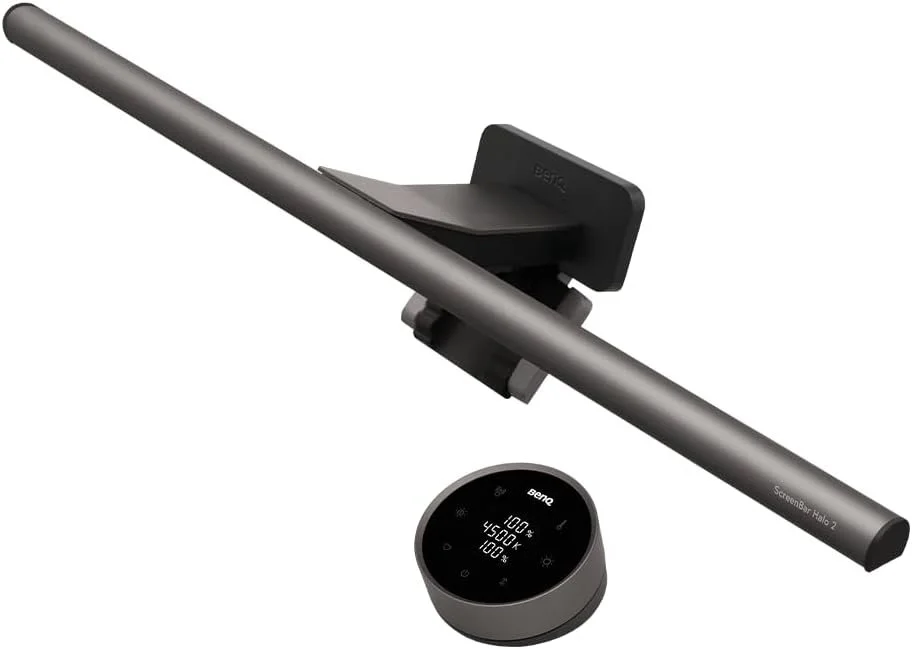
The BenQ ScreenBar Halo 2 is a premium monitor light designed to make long hours at a computer more comfortable. Its asymmetric front lighting illuminates the desk without directing distracting glare onto the screen, while the curved rear backlight helps balance the brightness between the monitor and the surrounding room.
The rechargeable wireless controller provides precise control over brightness and color temperature, and the built-in motion sensor can automatically turn the light on when you approach your desk and switch it off after you leave. It also supports flat, curved, and ultrawide monitors, making it an impressive lighting upgrade for professional home offices, creative workspaces, and premium desk setups.
✅ Pros
- Asymmetric front lighting minimizes screen glare
- Wide and adjustable rear ambient backlight
- Automatic brightness adjustment
- Adjustable color temperature from warm to cool light
- Rechargeable wireless controller with numeric display
- Motion sensor provides automatic on-and-off control
- Fits flat, curved, and ultrawide monitors
❌ Cons
- Considerably more expensive than basic monitor light bars
- May be more advanced than necessary for occasional computer use
Best For: Remote professionals, content creators, designers, programmers, and anyone building a premium home office setup for long working sessions.
⭐⭐⭐⭐⭐ 4.7/5
🛒 Check Today's Price on Amazon
2. PLAUD Note Pro – Best AI Productivity Assistant
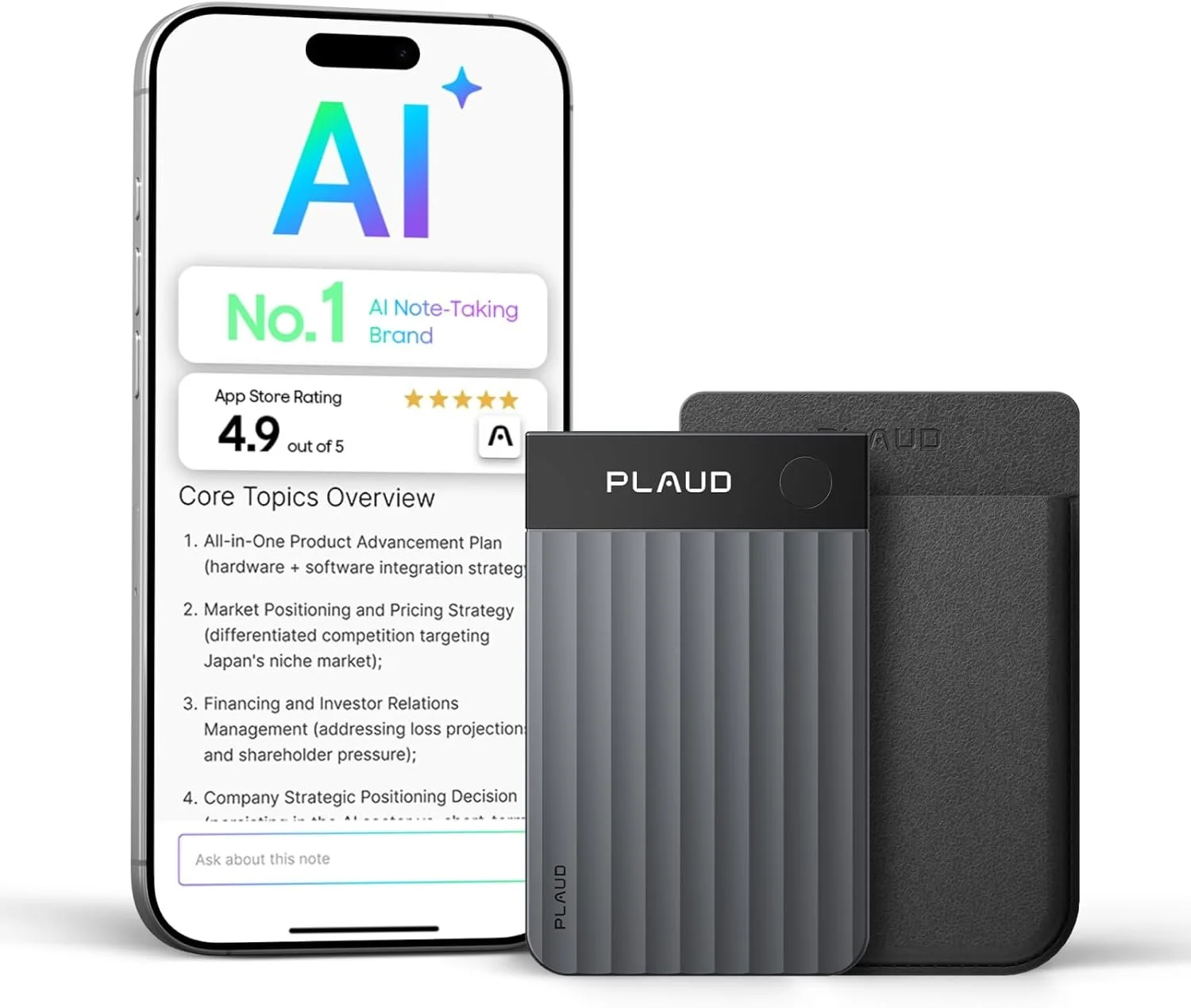
The PLAUD Note Pro is an ultra-slim AI voice recorder designed to make meetings, interviews, lectures, and phone calls easier to manage. Instead of writing everything down manually, it records conversations and uses AI to create searchable transcriptions, summaries, key points, and action items. This allows professionals to stay focused on the conversation while the device handles the note-taking.
It supports transcription in 112 languages and includes an InstantView display that provides quick access to important recording information. Its compact design makes it easy to carry between the home office, meetings, and business trips. For remote workers, managers, students, journalists, and content creators, the PLAUD Note Pro can save hours that would otherwise be spent replaying recordings and organizing notes.
✅ Pros
- Records meetings, interviews, lectures, and calls
- Creates AI-powered transcripts and summaries
- Identifies key points and action items
- Supports transcription in 112 languages
- Ultra-slim and highly portable design
- InstantView display provides useful recording information
- Helps reduce time spent taking and organizing notes
❌ Cons
- Some AI transcription features may require a paid plan
- Premium price compared to a traditional voice recorder
Best For: Remote professionals, business owners, managers, students, journalists, content creators, and anyone who regularly records meetings, interviews, lectures, or phone calls.
⭐⭐⭐⭐⭐ 4.6/5
🛒 Check Today's Price on Amazon
3. Logitech Casa Pop-Up Desk – Best Portable Workstation
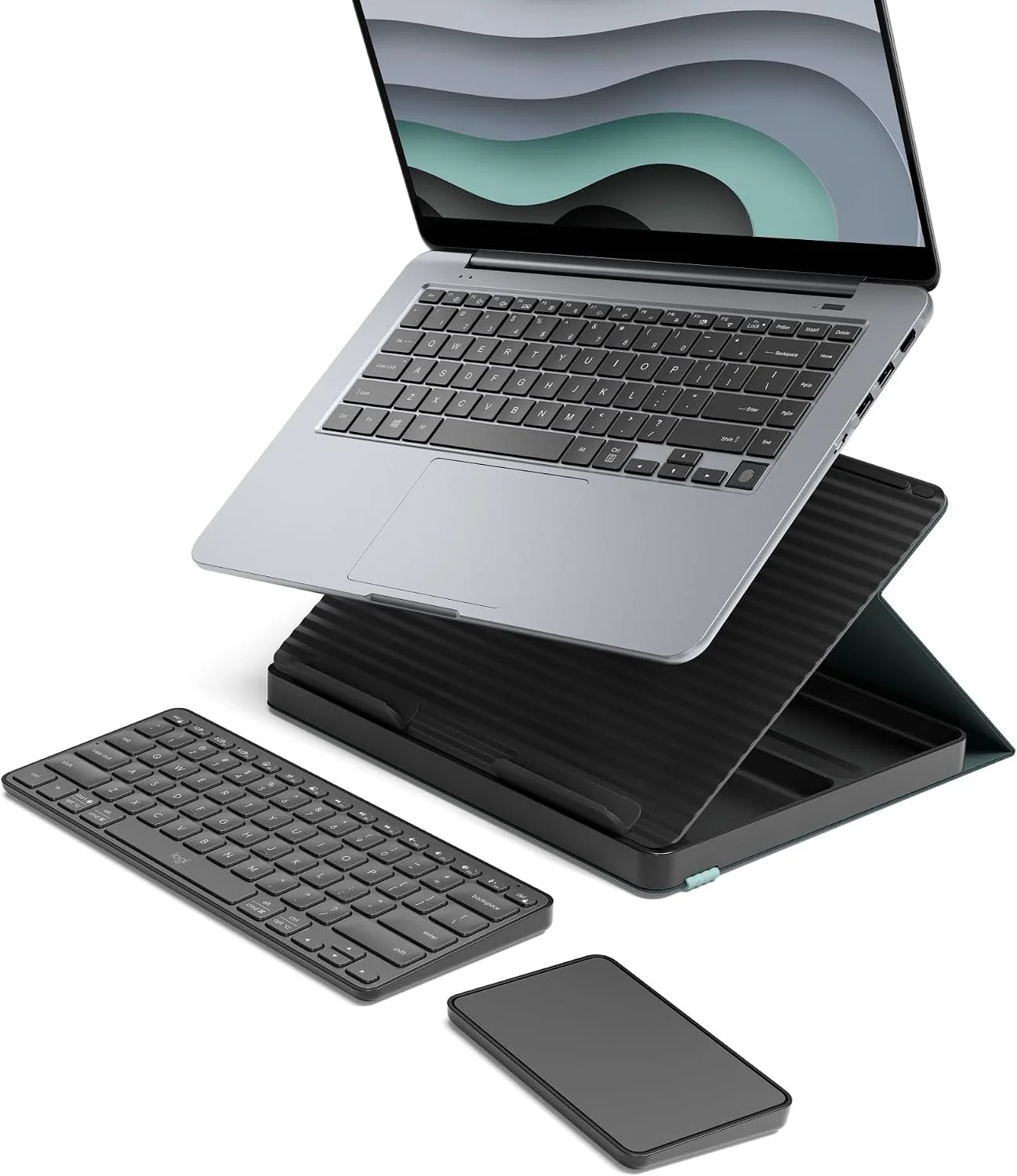
The Logitech Casa Pop-Up Desk transforms from a slim carrying case into a complete ergonomic workstation in seconds. Inside the compact case you'll find a comfortable wireless keyboard and touchpad, while the case itself unfolds into an elevated laptop stand that helps improve posture and reduces neck strain during long work sessions.
Designed for laptops from 10 to 17 inches, it connects via Bluetooth and charges through USB-C, making it ideal for remote workers who frequently move between home, the office, coffee shops, or shared workspaces. Its lightweight, all-in-one design keeps everything organized while creating a more comfortable and productive workspace wherever you work.
✅ Pros
- Three products in one: laptop stand, keyboard, and touchpad
- Folds into a slim, portable carrying case
- Improves posture and viewing angle
- Bluetooth connectivity with USB-C charging
- Compatible with Windows, macOS, and ChromeOS
- Supports laptops from 10 to 17 inches
- Excellent build quality from Logitech
❌ Cons
- Premium price compared to buying accessories separately
- Best suited for portable work rather than permanent desk setups
Best For: Remote workers, digital nomads, students, business travelers, and anyone who wants a clean, portable workstation that can be set up almost anywhere.
⭐⭐⭐⭐⭐ 4.5/5
🛒 Check Today's Price on Amazon
4. Anker Prime Charging Station – Best Desktop Charging Hub
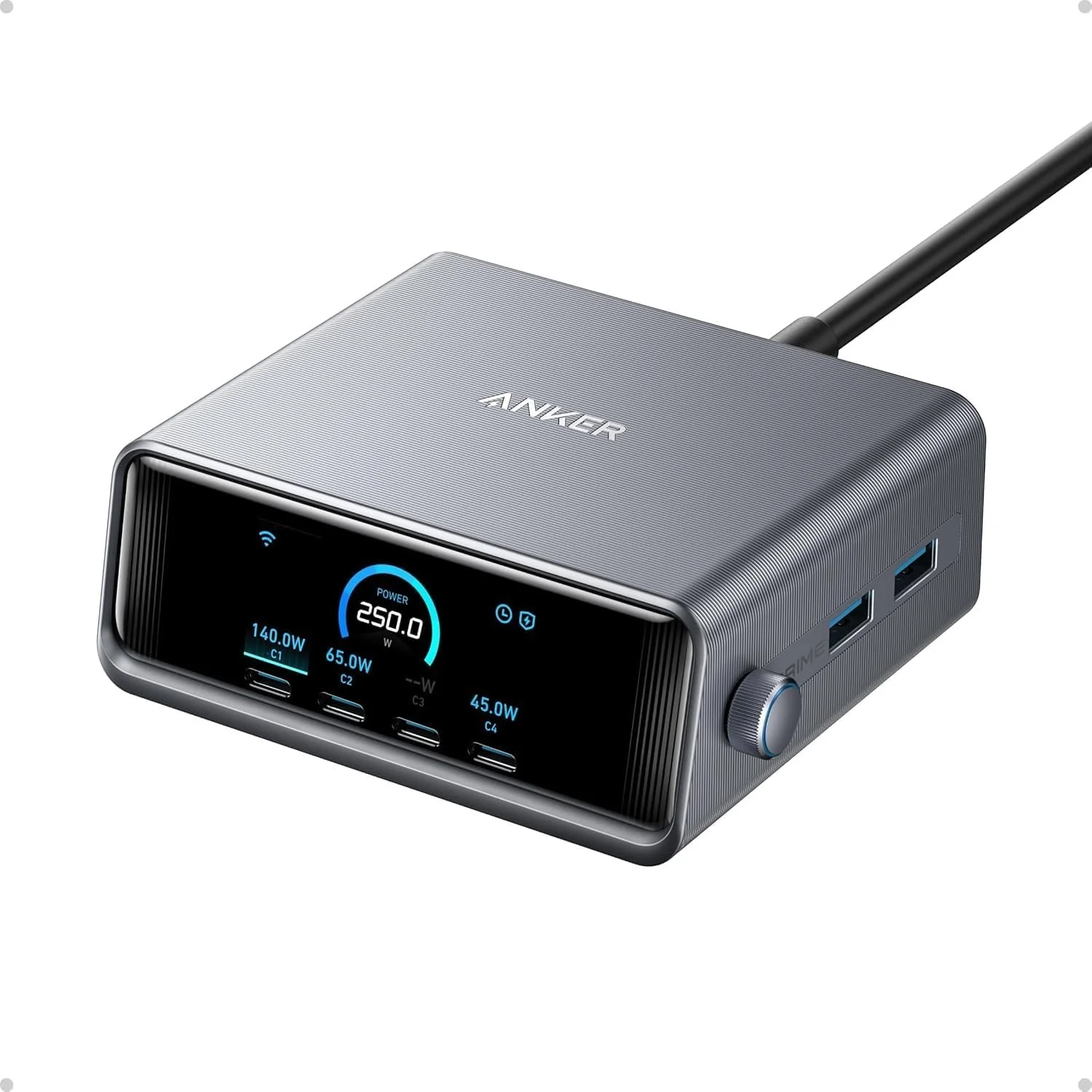
The Anker Prime Charging Station is a powerful desktop charging hub designed to replace the collection of separate chargers and adapters cluttering a home office. With 250W of total output and six charging ports, it can power laptops, phones, tablets, headphones, and other office devices from one compact station.
Its built-in 2.26-inch smart display shows real-time charging information, including how much power each connected device is receiving. The control dial makes it easy to switch between charging modes and monitor individual ports. For anyone who works with several devices throughout the day, this station keeps everything charged while making the desk look cleaner and more organized.
✅ Pros
- Powerful 250W total charging output
- Six ports for charging multiple devices simultaneously
- Four USB-C and two USB-A connections
- Smart display shows real-time charging information
- Control dial provides easy access to charging settings
- Can charge laptops, phones, tablets, and accessories
- Compact GaN design reduces desktop clutter
❌ Cons
- More expensive than basic multi-port chargers
- Charging cables may need to be purchased separately
Best For: Remote professionals, content creators, tech enthusiasts, and anyone who regularly charges several laptops, phones, tablets, or office accessories from the same desk.
⭐⭐⭐⭐⭐ 4.6/5
🛒 Check Today's Price on Amazon
5. Elgato Key Light Neo – Best Light for Video Calls & Content Creation
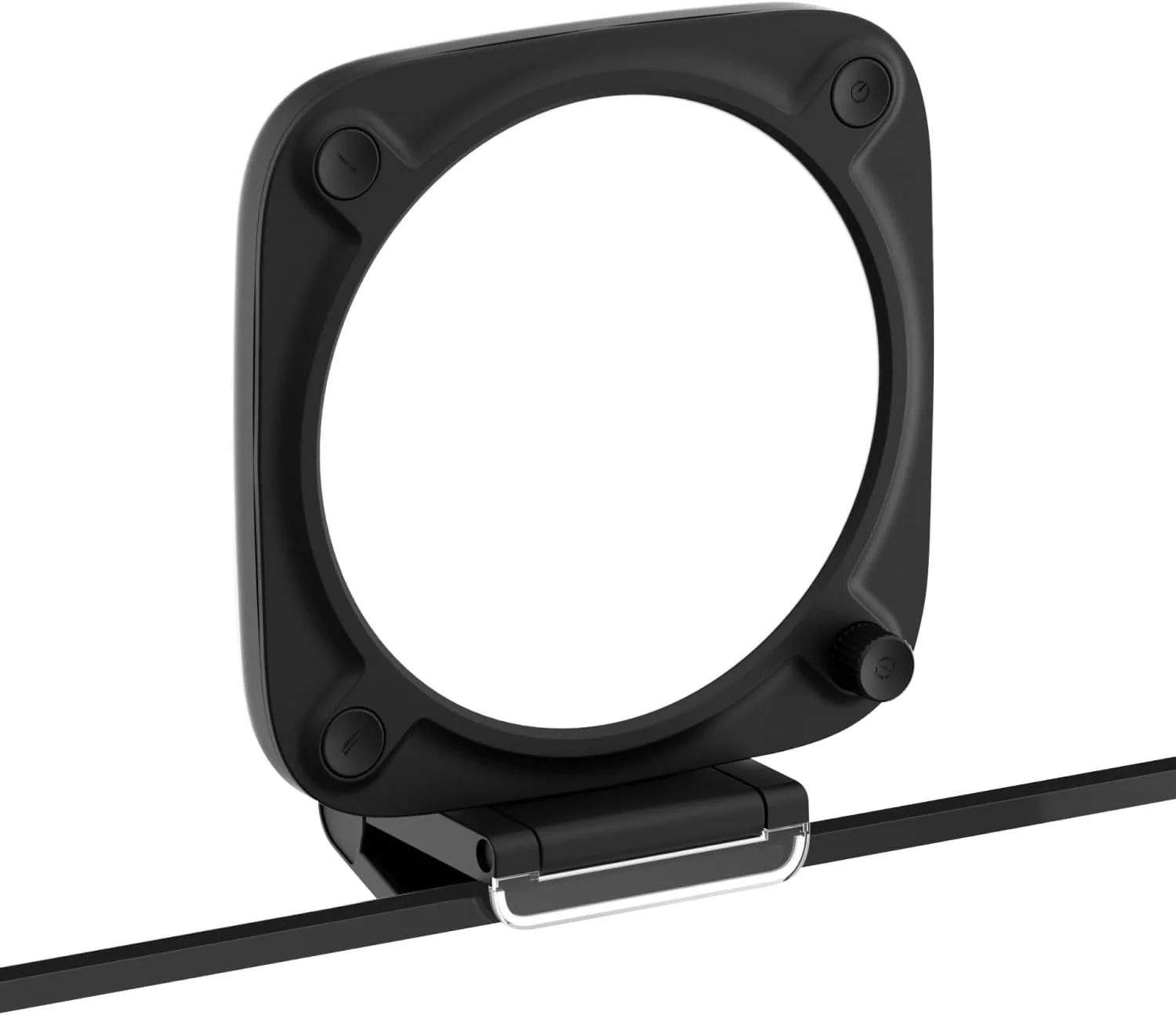
The Elgato Key Light Neo is a compact LED desk light designed to make video calls, livestreams, online meetings, and content creation look more professional. Its edge-lit design produces soft, glare-free lighting that helps reduce harsh shadows while delivering natural-looking skin tones on camera.
Powered through USB, the Key Light Neo offers adjustable brightness and color temperature, allowing you to create the perfect lighting for any room or time of day. The included monitor mount keeps the light positioned above your display, saving valuable desk space while providing even illumination for Zoom meetings, YouTube videos, streaming, or everyday remote work.
✅ Pros
- Soft edge-lit design produces flattering, glare-free lighting
- Adjustable brightness and color temperature
- USB powered for easy setup
- Space-saving monitor mount included
- Excellent for video calls, streaming, and content creation
- Compact design fits almost any home office
- Premium build quality from Elgato
❌ Cons
- Not as bright as larger studio lighting systems
- Designed primarily for close-range desktop use
Best For: Remote workers, streamers, YouTubers, online teachers, business professionals, and anyone who wants better lighting for video meetings and content creation.
⭐⭐⭐⭐⭐ 4.6/5
🛒 Check Today's Price on Amazon
6. Twelve South Curve Flex – Best Adjustable Laptop Stand
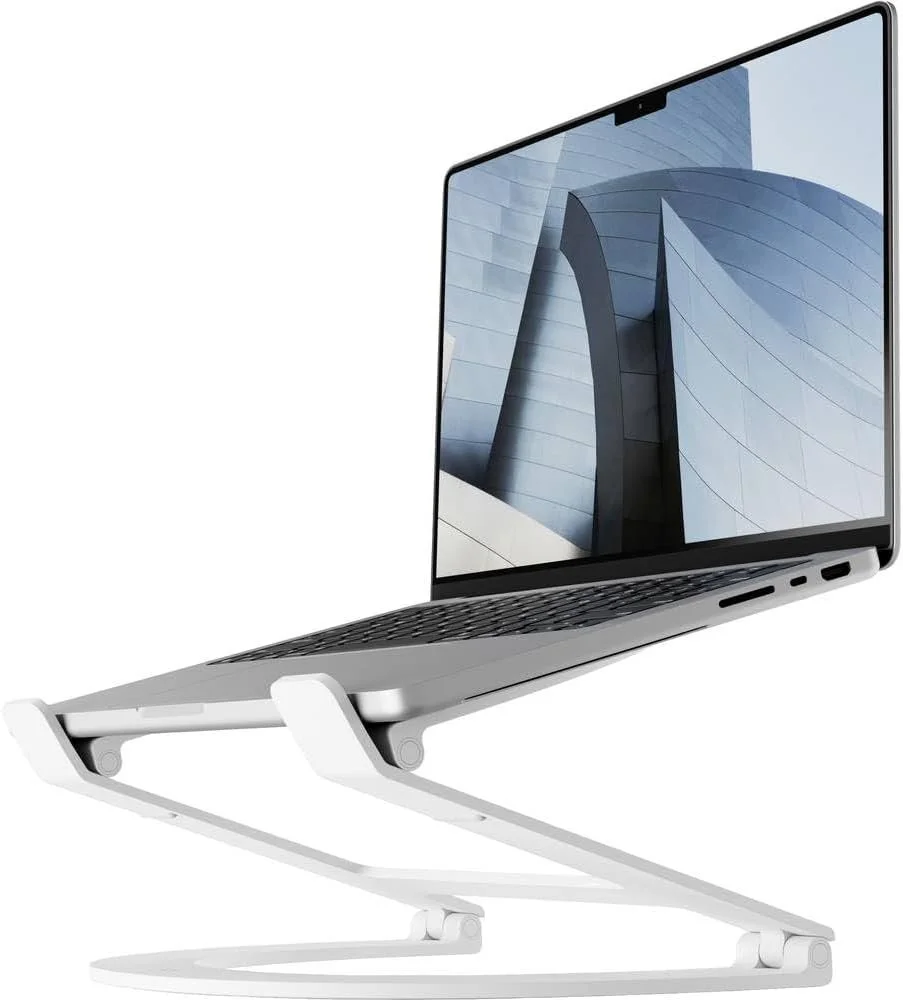
The Twelve South Curve Flex is an adjustable aluminum laptop stand designed to improve posture and create a more comfortable home office setup. Unlike fixed stands, it allows you to raise your laptop screen and adjust its angle until it reaches a more natural viewing position, helping reduce neck and shoulder strain during long work sessions.
Its sturdy aluminum construction provides reliable support while leaving space beneath the laptop for improved airflow and desk organization. The stand fits laptops from 10 to 17 inches and folds flat when not in use, making it useful for both permanent desks and portable work setups. Paired with an external keyboard and mouse, it can turn a laptop into a more ergonomic desktop workstation.
✅ Pros
- Adjustable height and viewing angle
- Helps improve posture and reduce neck strain
- Premium aluminum construction
- Supports laptops from 10 to 17 inches
- Open design helps improve laptop airflow
- Folds flat for storage or travel
- Works with MacBook, Windows, and Chromebook laptops
❌ Cons
- More expensive than basic fixed laptop stands
- An external keyboard and mouse are recommended for comfortable use
Best For: Remote workers, students, laptop users, and anyone who wants a more ergonomic and adjustable home office workstation.
⭐⭐⭐⭐☆ 4.0/5
🛒 Check Today's Price on Amazon
7. Logitech MX Creative Console – Best Workflow Controller
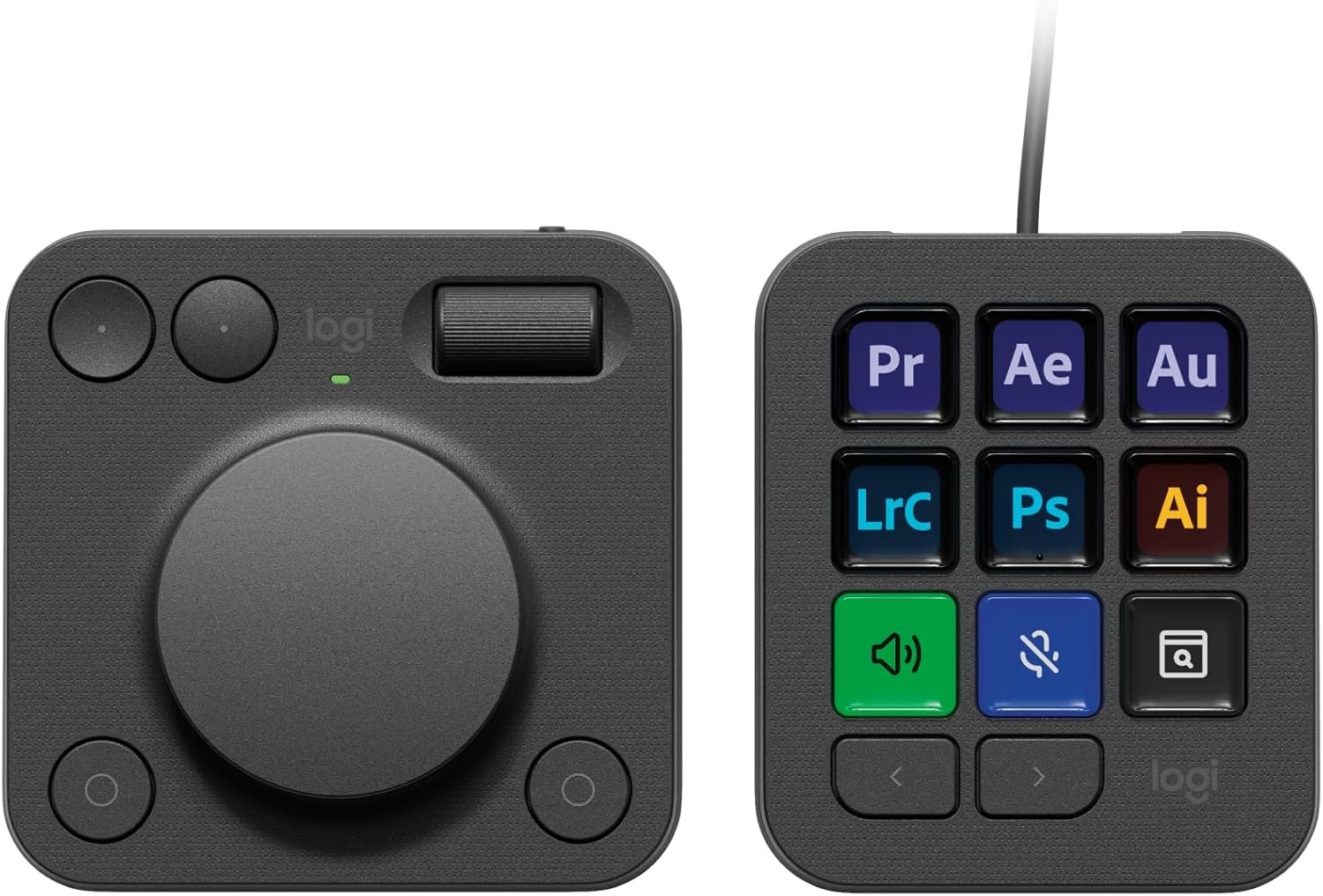
The Logitech MX Creative Console gives creators and professionals physical controls for frequently used tools, commands, and adjustments. The set combines a keypad with nine customizable display keys and a separate dialpad featuring a large precision control dial, rollers, and programmable buttons.
Users can create different control profiles for creative software and everyday applications, making repetitive tasks faster and easier to access. The large dial is especially useful for precise adjustments such as changing brush sizes, scrolling through timelines, zooming, adjusting volume, or moving between editing controls. It is a useful productivity upgrade for anyone who spends hours editing photos, videos, graphics, or online content.
✅ Pros
- Nine customizable display keys
- Large precision control dial for detailed adjustments
- Includes both the keypad and dialpad
- Custom profiles for different programs and workflows
- Useful for photo, video, audio, and graphic design work
- Can control everyday shortcuts, media, and productivity tools
- Premium build quality and intuitive controls
❌ Cons
- Requires initial setup and customization
- Premium price for users who only need basic shortcuts
Best For: Video editors, photographers, graphic designers, content creators, streamers, and professionals who regularly use repetitive shortcuts and precision controls.
⭐⭐⭐⭐☆ 4.1/5
🛒 Check Today's Price on Amazon
8. UGREEN Revodok Pro 12-in-1 – Best Laptop Dock
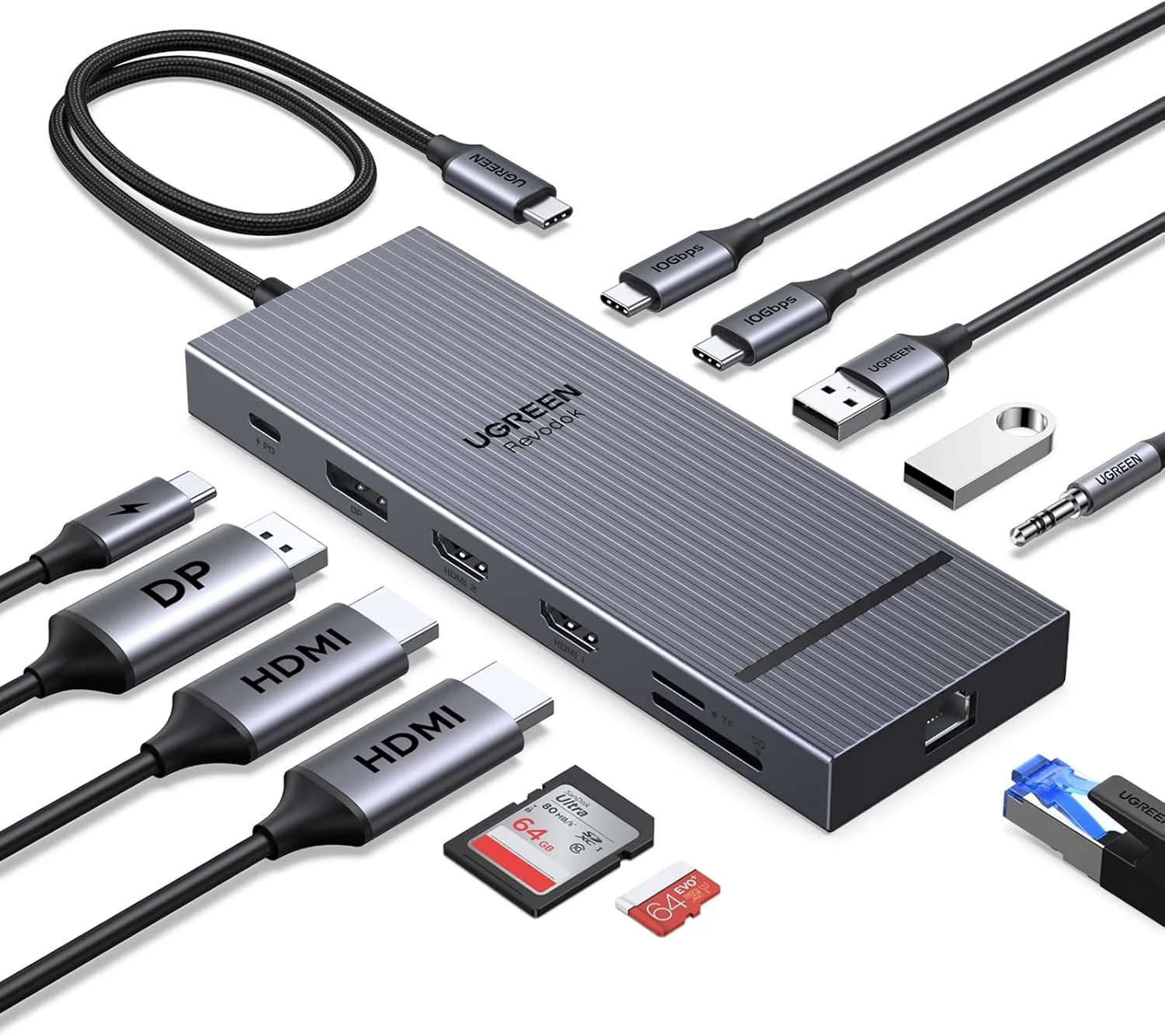
The UGREEN Revodok Pro 12-in-1 turns a single USB-C connection into a complete home office workstation. It provides multiple display outputs, high-speed USB ports, memory card readers, Ethernet, audio, and power delivery in one compact docking station, helping reduce the number of separate adapters and cables around your laptop.
The dock supports up to three external displays through two HDMI ports and one DisplayPort connection, although the exact display arrangement depends on the laptop and operating system being used. It also includes fast 10Gbps USB-C and USB-A data ports, SD and microSD card readers, Gigabit Ethernet, a 3.5mm audio jack, and up to 100W USB-C power input. It is a practical upgrade for professionals who want desktop-level connectivity from a portable laptop.
✅ Pros
- Expands one USB-C port into 12 useful connections
- Supports up to three external displays on compatible systems
- Includes two HDMI ports and one DisplayPort connection
- Fast 10Gbps USB-C and USB-A data ports
- SD and microSD card readers included
- Gigabit Ethernet and 3.5mm audio connections
- Supports up to 100W USB-C power input
❌ Cons
- macOS has limitations when using multiple extended displays
- Power adapter is typically sold separately
Best For: Remote workers, laptop users, photographers, video editors, and professionals who need multiple monitors, storage devices, wired internet, and other accessories connected through one USB-C port.
⭐⭐⭐⭐☆ 4.2/5
🛒 Check Today's Price on Amazon
9. Orbitkey Desk Mat – Best Desk Organization Upgrade
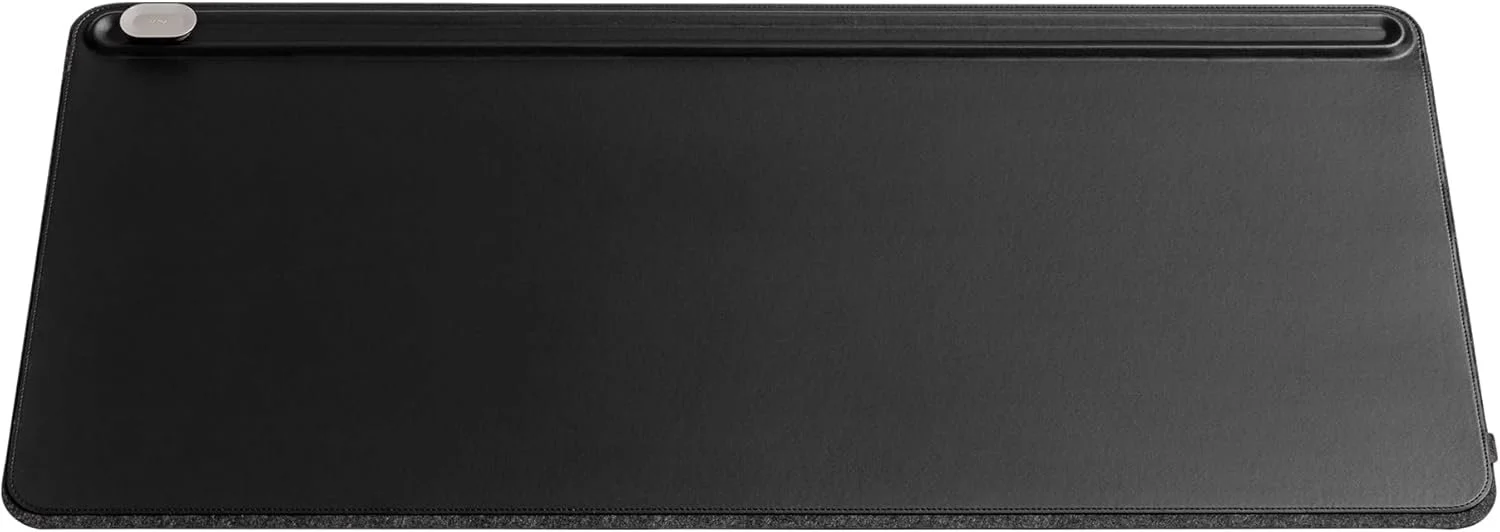
The Orbitkey Desk Mat creates a cleaner and more organized workspace while protecting the desk beneath your laptop, keyboard, and mouse. Made from premium vegan leather with a soft recycled-felt backing, it provides a smooth work surface that feels comfortable during long hours at a home office.
What makes this desk mat different is its built-in document hideaway, which provides a discreet place for loose papers and notes, and its movable magnetic cable holder, which keeps charging cables from falling behind the desk. The large size provides enough room for a laptop or monitor setup while giving the workspace a polished and uncluttered appearance.
✅ Pros
- Built-in document hideaway for papers and notes
- Movable magnetic cable holder keeps cables accessible
- Premium vegan-leather work surface
- Soft recycled-felt backing protects the desk
- Large surface fits a keyboard, mouse, laptop, and accessories
- Easy-to-clean and water-resistant surface
- Creates a cleaner and more professional-looking workspace
❌ Cons
- Much more expensive than a basic desk mat
- Large size may not fit smaller desks
Best For: Remote workers, professionals, designers, students, and anyone who wants a cleaner desk with better cable and document organization.
⭐⭐⭐⭐☆ 4.4/5

🛒 Check Today's Price on Amazon
10. Ember Mug 2 – Best Smart Mug for the Home Office
The Ember Mug 2 solves one of the most common home office problems: coffee or tea becoming cold while you are focused on work. This rechargeable 14-ounce smart mug maintains your selected drinking temperature, allowing you to enjoy a warm drink without repeatedly reheating it in the microwave.
Using the Ember app, you can choose a temperature between 120°F and 145°F, save presets for different drinks, and receive a notification when your beverage reaches the desired temperature. The mug can maintain its temperature for up to 80 minutes on battery power or remain warm throughout the day when placed on its included charging coaster.
✅ Pros
- Keeps coffee or tea at a selected drinking temperature
- Adjustable temperature from 120°F to 145°F
- App control with custom drink presets
- Up to 80 minutes of battery life
- Keeps drinks warm all day when placed on the charging coaster
- Built-in LED indicates heating and battery status
- Useful for long meetings and focused work sessions
❌ Cons
- Expensive compared to a traditional insulated mug
- Requires regular charging and careful hand washing
Best For: Remote workers, coffee and tea drinkers, busy professionals, and anyone whose drink regularly becomes cold while working at a desk.
⭐⭐⭐⭐☆ 4.2/5
Final Thoughts
The right home office gadgets can make a real difference in how comfortable, organized, and productive your workspace feels. Some upgrades, like a better laptop stand or monitor light, improve everyday comfort, while tools such as the PLAUD Note Pro and Logitech MX Creative Console can save time during meetings and creative work.
You do not need every product on this list. The best choice depends on what slows you down most. For a cleaner desk, the Orbitkey Desk Mat and Anker Prime Charging Station are excellent options. For better posture, consider the Twelve South Curve Flex or Logitech Casa Pop-Up Desk. For meetings and content creation, the Elgato Key Light Neo and PLAUD Note Pro stand out.
Whichever gadget you choose, the goal is simple: create a home office that helps you stay focused, comfortable, and productive throughout the day.
