
10 Best Budget Gaming Accessories for 2026
A great gaming setup doesn’t have to cost a fortune. For this guide, we focused on budget gaming accessories that are affordable without feeling cheap. We looked for products that offer useful features, solid performance, and good value for the money.
Our 10 picks include practical upgrades for your desk, audio, controls, lighting, and overall gaming experience. Whether you’re building your first setup or just want a few inexpensive upgrades, these accessories can make a noticeable difference without spending hundreds of dollars.
🛒 Check Today's Price on Amazon
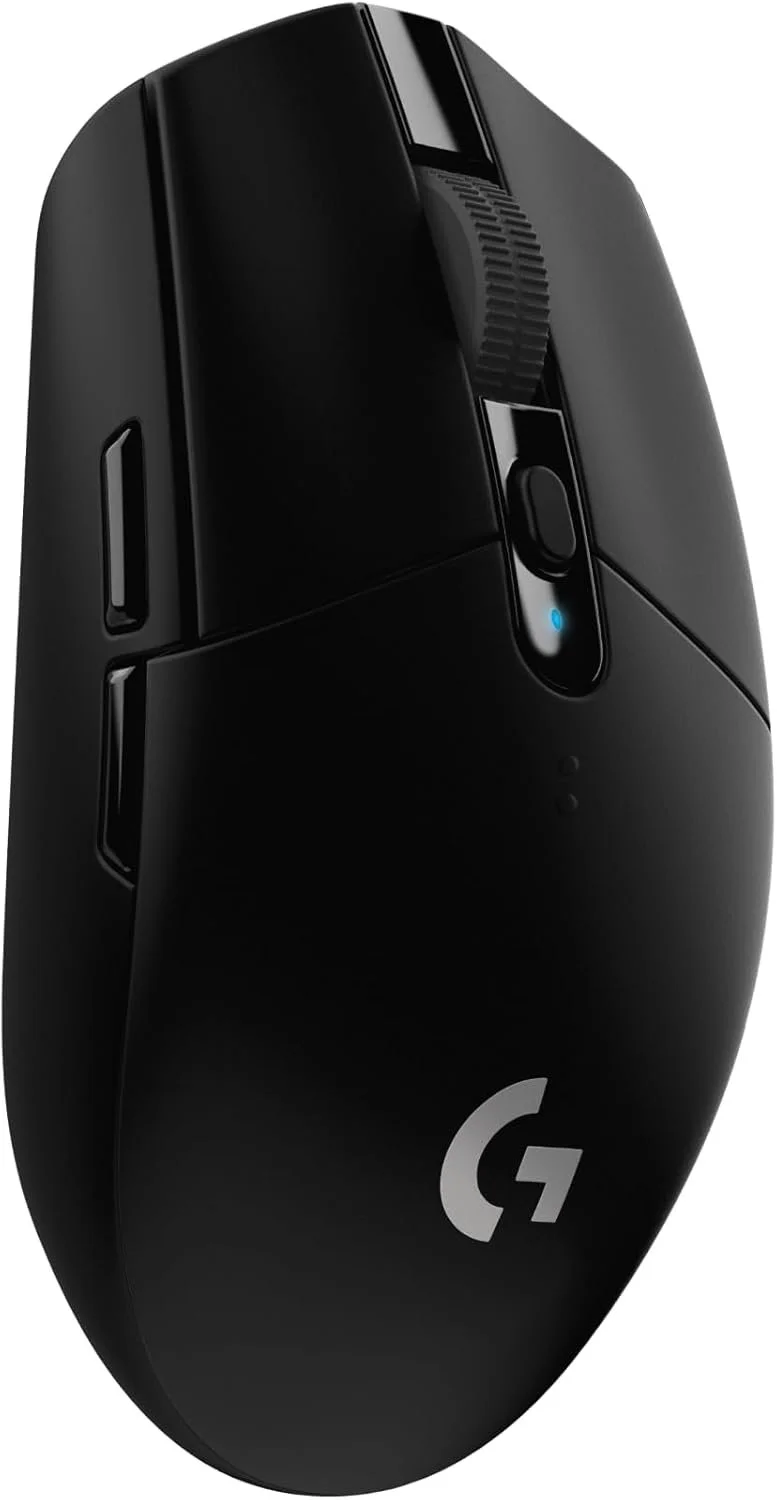
1. Logitech G305 LIGHTSPEED – Best Budget Wireless Gaming Mouse
The Logitech G305 LIGHTSPEED is our pick for the best budget wireless gaming mouse because it delivers reliable gaming performance at a price that is surprisingly affordable. It is a great example of what this guide is about: spending less without settling for a low-quality gaming accessory.
At the heart of the G305 is Logitech's HERO optical sensor, which can be adjusted from 200 up to 12,000 DPI. Combined with Logitech's LIGHTSPEED 2.4 GHz wireless connection and a 1ms report rate, it offers the responsive tracking needed for gaming without requiring a wired connection.
You also get six programmable buttons, onboard memory for one profile, and excellent battery efficiency. Logitech rates the G305 for up to 250 hours of continuous gaming in Performance mode from a single AA battery, making it especially convenient for gamers who don't want to recharge their mouse every few days.
At the time we reviewed the Amazon listing, the black G305 was priced at $27.99 and had a 4.6-star rating from more than 39,000 customer reviews, along with Amazon's Overall Pick badge. It lacks Bluetooth, RGB lighting, and a rechargeable battery, and its compact shape may not be ideal for very large hands. But for gamers looking for dependable wireless performance for around $30, the G305 remains an excellent value.
✅ Pros
- Excellent value for a wireless gaming mouse
- HERO optical sensor with up to 12,000 DPI
- Fast LIGHTSPEED 2.4 GHz wireless connection
- Six programmable buttons
- Up to 250 hours of gaming battery life
- Onboard memory
- Strong build quality for the price
❌ Cons
- Uses a replaceable AA battery instead of USB charging
- No Bluetooth connectivity
- No RGB lighting
- Compact size may not suit gamers with very large hands
Best For: Budget-conscious PC gamers who want a reliable wireless gaming mouse with responsive performance and excellent battery life without spending $70–$100.
⭐⭐⭐⭐⭐ 4.7/5
🛒 Check Today's Price on Amazon
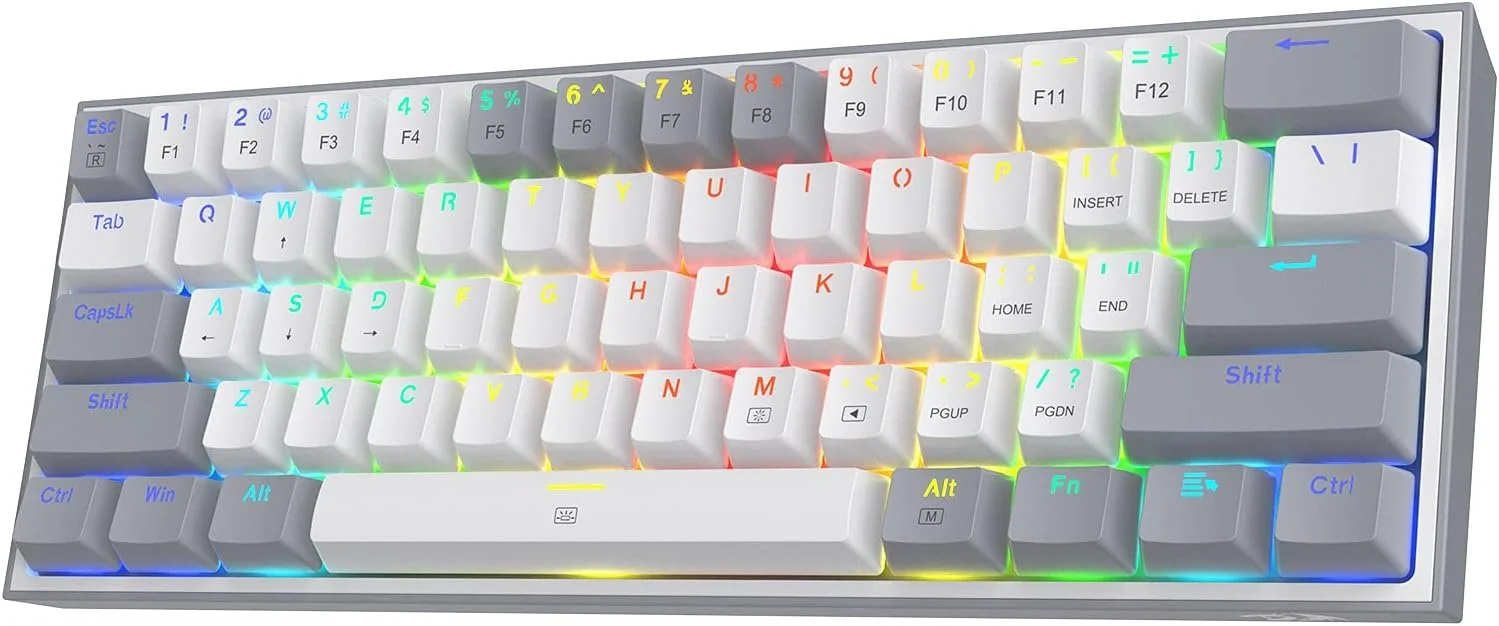
2. Redragon K617 Fizz – Best Budget Mechanical Gaming Keyboard
The Redragon K617 Fizz is our pick for the best budget mechanical gaming keyboard because it packs several features normally associated with more expensive gaming keyboards into an affordable package. At around $30 when we reviewed it, it's an appealing upgrade for gamers who want mechanical switches and RGB lighting without spending a lot.
Its compact 60% 61-key layout removes the number pad and several dedicated navigation keys, leaving more room on your desk for mouse movement. That can be especially useful for gamers who play at lower mouse sensitivities or simply want a cleaner, more compact gaming setup.
The K617 features hot-swappable mechanical switches, allowing users to replace compatible switches without soldering. It also offers multiple RGB lighting modes and software support for additional customization, giving budget-conscious gamers plenty of ways to personalize their setup.
At the time we reviewed the Amazon listing, the K617 was priced at $29.99 and carried an impressive 4.6-star rating from more than 5,700 customer reviews, along with Amazon's Choice badge. The compact layout won't suit everyone, especially users who regularly need dedicated function or number keys, but for gaming-focused setups it delivers excellent value for the money.
✅ Pros
- Very affordable mechanical gaming keyboard
- Compact 60% design saves desk space
- Hot-swappable mechanical switches
- Multiple RGB lighting modes
- Software customization support
- Good customer ratings for the price
❌ Cons
- Wired connection only
- No dedicated number pad
- 60% layout requires shortcuts for some functions
Best For: Gamers who want an inexpensive mechanical keyboard with RGB lighting and a compact design that leaves plenty of room for mouse movement.
⭐⭐⭐⭐⭐ 4.6/5
🛒 Check Today's Price on Amazon
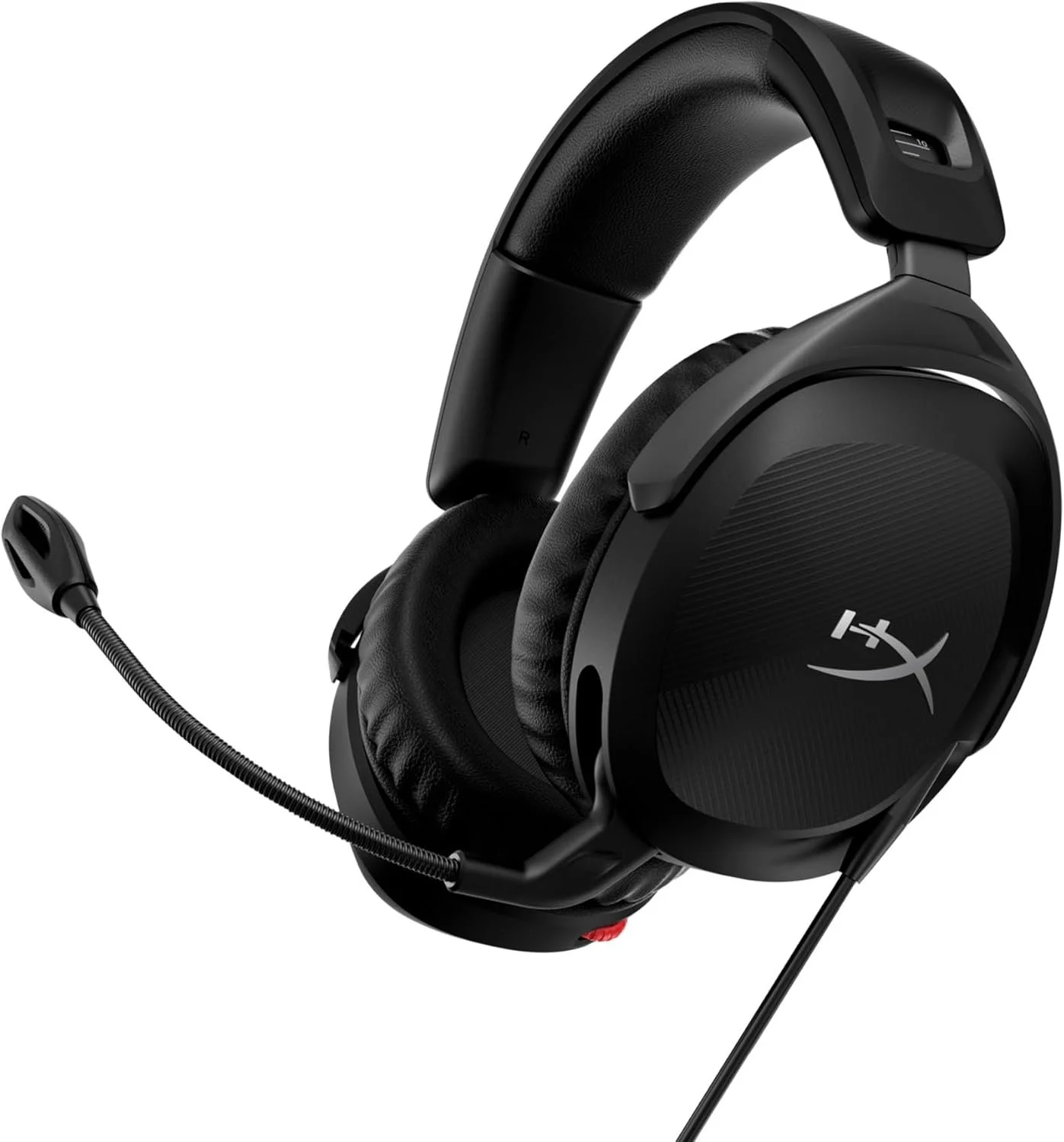
3. HyperX Cloud Stinger 2 – Best Budget Gaming Headset
The HyperX Cloud Stinger 2 is our pick for the best budget gaming headset because it focuses on the features that matter most: comfortable ear cushions, large drivers, a practical microphone, and lightweight construction. It gives gamers a recognizable gaming-audio brand without pushing the price into premium-headset territory.
HyperX equips the Cloud Stinger 2 with 50mm dynamic drivers and a frequency response of 10 Hz to 28 kHz. It also includes DTS Headphone:X Spatial Audio support, which can provide a more immersive sense of direction and positioning when playing compatible PC games.
Comfort is another strong point. The headset weighs only about 0.60 lb and uses memory-foam ear cushions covered in soft leatherette. The earcups can rotate 90 degrees, making it easier to rest the headset around your neck between gaming sessions. Its flexible noise-cancelling microphone also uses a convenient swivel-to-mute design — simply raise the microphone to mute it.
At the time we reviewed the Amazon listing, the Cloud Stinger 2 was priced at $46.74 and had a 4.3-star rating from more than 7,400 customer reviews. It is wired and its mostly plastic construction isn't as premium as more expensive headsets, but gamers looking for comfortable PC gaming audio for under $50 get a lot for their money.
✅ Pros
- Affordable price for a recognized gaming brand
- Large 50mm drivers
- DTS Headphone:X Spatial Audio support
- Lightweight design
- Comfortable memory-foam ear cushions
- Convenient swivel-to-mute microphone
- 90° rotating earcups
❌ Cons
- Wired rather than wireless
- Mostly plastic construction
- Designed primarily for PC use
Best For: PC gamers who want comfortable gaming audio, a useful microphone, and spatial-audio support without spending $100 or more on a headset.
⭐⭐⭐⭐⭐ 4.5/5

🛒 Check Today's Price on Amazon
4. SteelSeries QcK XXL – Best Budget Gaming Mouse Pad
The SteelSeries QcK XXL is our pick for the best budget gaming mouse pad because it gives you a large, dependable surface without charging a premium price. It is wide enough to cover a large portion of a gaming desk, helping create a cleaner setup while giving your keyboard and mouse a stable surface.
The XXL version measures roughly 900 × 400 mm, giving gamers plenty of room for wide mouse movements. That makes it especially useful for players who use lower DPI settings and need more space for aiming in competitive games.
SteelSeries uses a micro-woven cloth surface designed for consistent mouse tracking, while the non-slip rubber base helps keep the pad from sliding during fast movements. The surface is also washable, which is useful for a desk accessory that sees daily use.
At the time we reviewed the Amazon listing, the QcK XXL was priced at $29.99 and had an excellent 4.7-star rating from more than 80,000 customer reviews, along with Amazon's Choice badge. It does not have RGB lighting or premium stitched-edge styling, but if your priority is a large, proven gaming surface at a reasonable price, the QcK XXL is difficult to beat.
✅ Pros
- Large XXL size covers a big section of the desk
- Excellent value for the price
- Micro-woven cloth surface for consistent tracking
- Non-slip rubber base
- Works well with both low and high DPI settings
- Washable surface
- Extremely strong customer review history
❌ Cons
- No RGB lighting
- Simple design compared with more expensive desk mats
- May be too large for small desks
Best For: Gamers who want a large, reliable desk surface for their keyboard and mouse without paying premium prices for an RGB or specialty gaming mat.
⭐⭐⭐⭐⭐ 4.8/5
🛒 Check Today's Price on Amazon
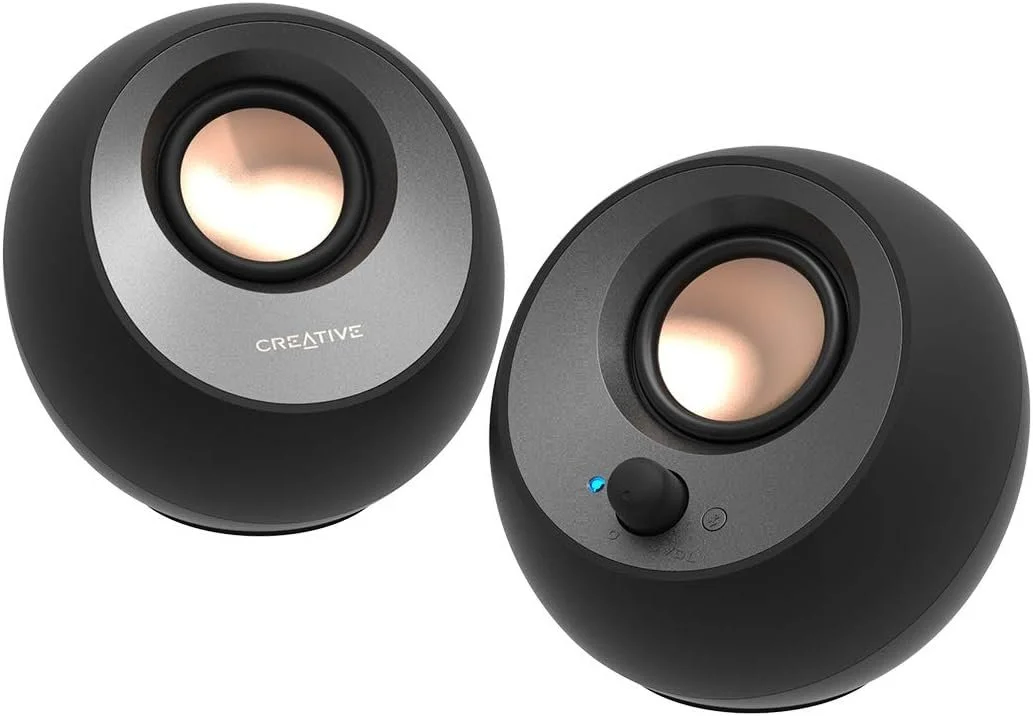
5. Creative Pebble V3 – Best Budget Gaming Speakers
The Creative Pebble V3 is our pick for the best budget gaming speakers because it offers a useful combination of compact size, multiple connection options, and surprisingly capable desktop audio without the price of a premium gaming speaker system.
Each speaker uses a 2.25-inch full-range driver with a passive radiator, while the drivers are angled upward at 45 degrees to direct sound toward the listener. With a suitable 10W USB connection and high-gain mode, the system can produce up to 8W RMS and 16W peak power.
Connectivity is one of the Pebble V3's biggest strengths. It supports USB-C audio, Bluetooth 5.0, and a 3.5mm AUX input, so you can use it with a desktop or laptop while also having the option to stream audio wirelessly from compatible devices. Creative also includes its Clear Dialog processing to help make voices easier to hear.
At the time we reviewed the Amazon listing, the Pebble V3 was priced at $42.74 and had a 4.4-star rating from more than 5,800 customer reviews, along with Amazon's Overall Pick badge. It won't deliver the deep bass of a larger system with a dedicated subwoofer, but for gamers who want affordable speakers that take up very little desk space, the Pebble V3 offers excellent value.
✅ Pros
- Affordable desktop speaker system
- USB-C audio and power
- Bluetooth 5.0 wireless streaming
- 3.5mm AUX input
- Up to 8W RMS and 16W peak output
- Compact design takes up little desk space
- 45° angled drivers direct sound toward the listener
❌ Cons
- No dedicated subwoofer
- Limited deep bass compared with larger speaker systems
- Maximum output requires a suitable higher-power USB connection
Best For: Gamers who want compact and versatile desktop speakers with USB-C and Bluetooth connectivity without spending a lot on a larger gaming audio system.
⭐⭐⭐⭐⭐ 4.6/5
🛒 Check Today's Price on Amazon
6. Quntis ScreenLinear Pro – Best Budget Monitor Light Bar
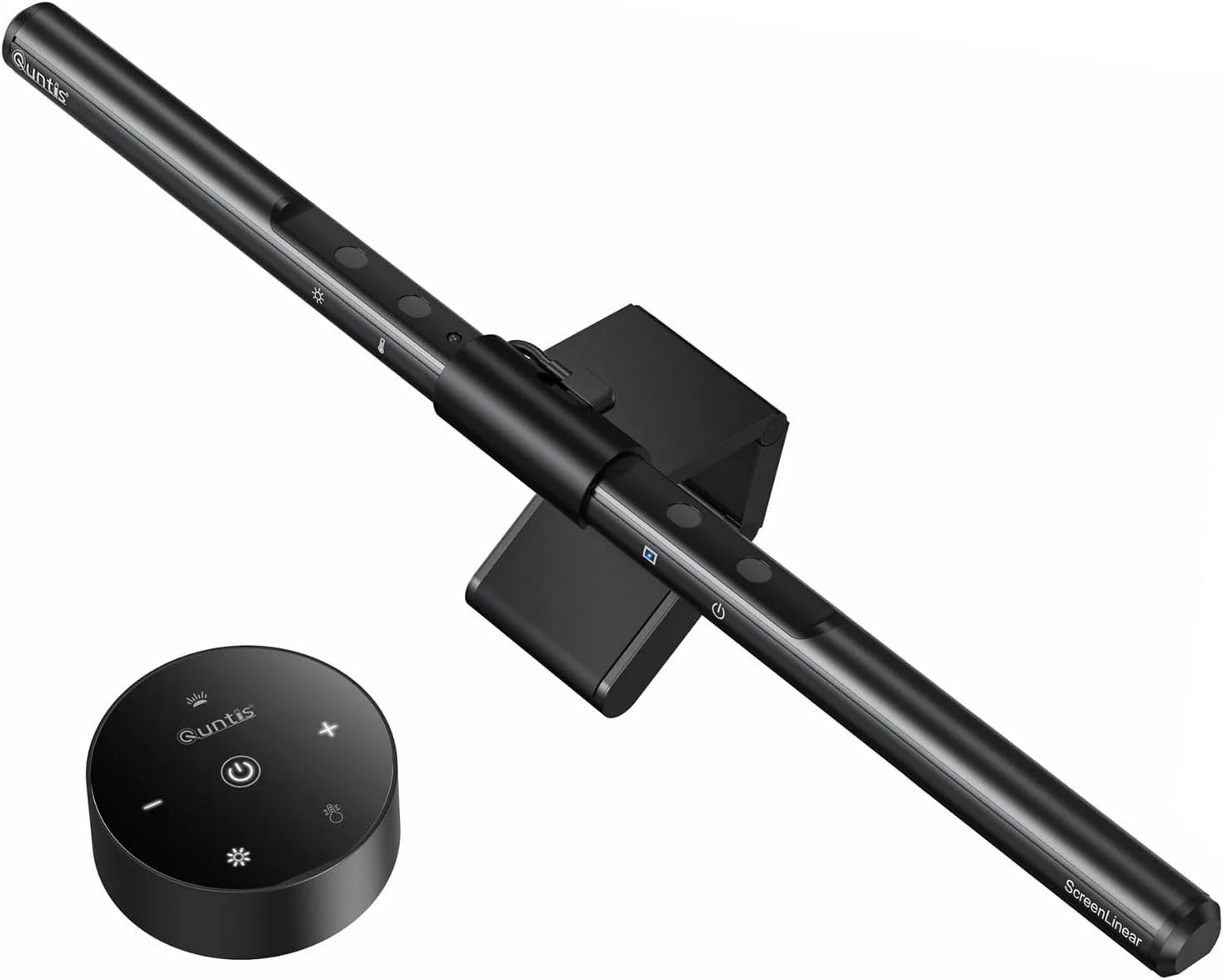
The Quntis ScreenLinear Pro is our pick for the best budget monitor light bar because it adds practical desk lighting without taking up valuable surface space. It sits on top of your monitor and directs light downward toward the desk, making it useful for gaming, studying, and working at night.
One of its most useful features is auto-dimming. The built-in light sensor can adjust brightness based on the surrounding room, while manual controls let you fine-tune both brightness and color temperature when you want more control.
The ScreenLinear Pro offers an adjustable color temperature range of roughly 3000K to 6500K, letting you switch between warmer evening light and cooler white light for daytime use. Its asymmetric lighting design is intended to illuminate the desk while reducing direct glare on the monitor.
At the time we reviewed the Amazon listing, the Quntis ScreenLinear Pro was priced at $39.95 and had a 4.6-star rating from more than 13,700 customer reviews, along with Amazon's Overall Pick badge. It does not add flashy RGB effects, but for gamers who want a cleaner desk and better task lighting at a reasonable price, it offers excellent everyday value.
✅ Pros
- Affordable monitor-mounted lighting
- Auto-dimming light sensor
- Adjustable brightness
- Adjustable 3000K–6500K color temperature
- No-glare asymmetric lighting design
- Touch controls
- Does not take up desk space
❌ Cons
- No RGB gaming effects
- Fit may vary depending on monitor thickness and shape
- Less useful if your gaming area is already well lit
Best For: Gamers who want better desk lighting and reduced screen-area glare without adding another lamp to an already crowded gaming setup.
⭐⭐⭐⭐⭐ 4.7/5
🛒 Check Today's Price on Amazon
7. Govee RGBIC LED Strip Lights – Best Budget Gaming RGB Lights
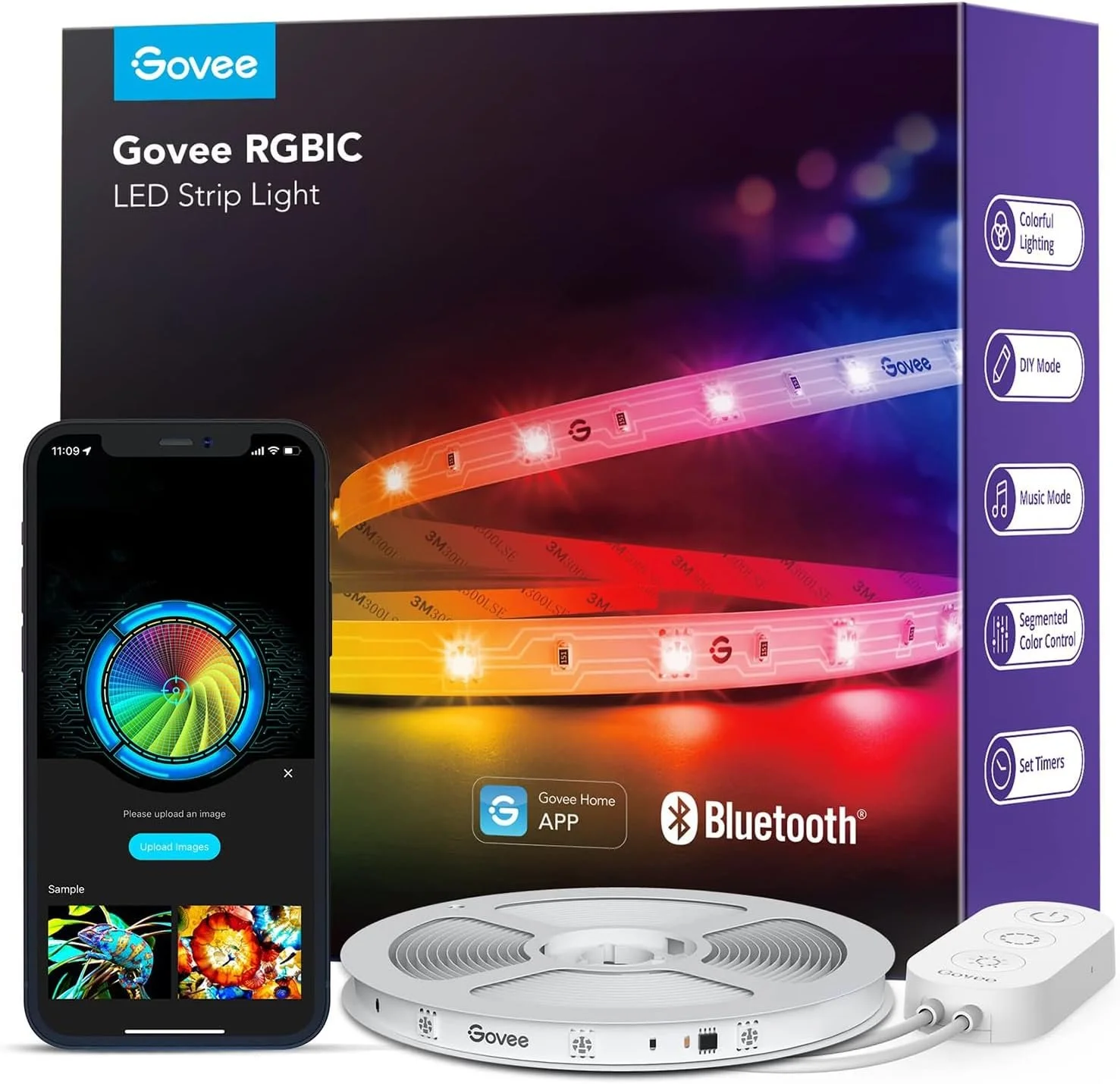
The Govee RGBIC LED Strip Lights are our pick for the best budget gaming RGB lights because they can add a much more colorful gaming atmosphere for very little money. At just over $13 when we reviewed the listing, this is one of the cheapest ways to make a desk, wall, or gaming area look noticeably more customized.
Unlike basic RGB strips that display only one color across the entire strip at a time, Govee's RGBIC technology allows multiple colors to appear simultaneously on different sections. That makes effects look more dynamic and gives a gaming setup a more polished appearance without requiring expensive lighting equipment.
The 16.4-foot strip can be controlled through the Govee Home app using Bluetooth, where users can adjust colors, brightness, effects, and scene modes. It also includes music-reactive options that can change the lighting in response to sound, which can be fun for gaming, music, or streaming setups.
At the time we reviewed the Amazon listing, the 16.4-foot version was priced at $13.49 and had a 4.4-star rating from more than 26,000 customer reviews, along with Amazon's Overall Pick badge. It does not offer the advanced synchronization features of expensive gaming-light systems, but at this price it delivers a lot of visual impact for very little money.
✅ Pros
- Extremely affordable gaming setup upgrade
- RGBIC technology displays multiple colors at once
- 16.4-foot strip provides plenty of coverage
- Bluetooth app control
- Multiple lighting effects and scene modes
- Music-reactive lighting options
- Excellent value for the price
❌ Cons
- No Wi-Fi control on this basic version
- Adhesive performance can depend on the mounting surface
- Less advanced than premium PC lighting ecosystems
Best For: Gamers who want to add colorful RGB lighting behind a desk, monitor, shelf, or gaming area without spending much money.
⭐⭐⭐⭐⭐ 4.6/5
🛒 Check Today's Price on Amazon
8. Anker 4-Port USB 3.0 Hub – Best Budget USB Hub
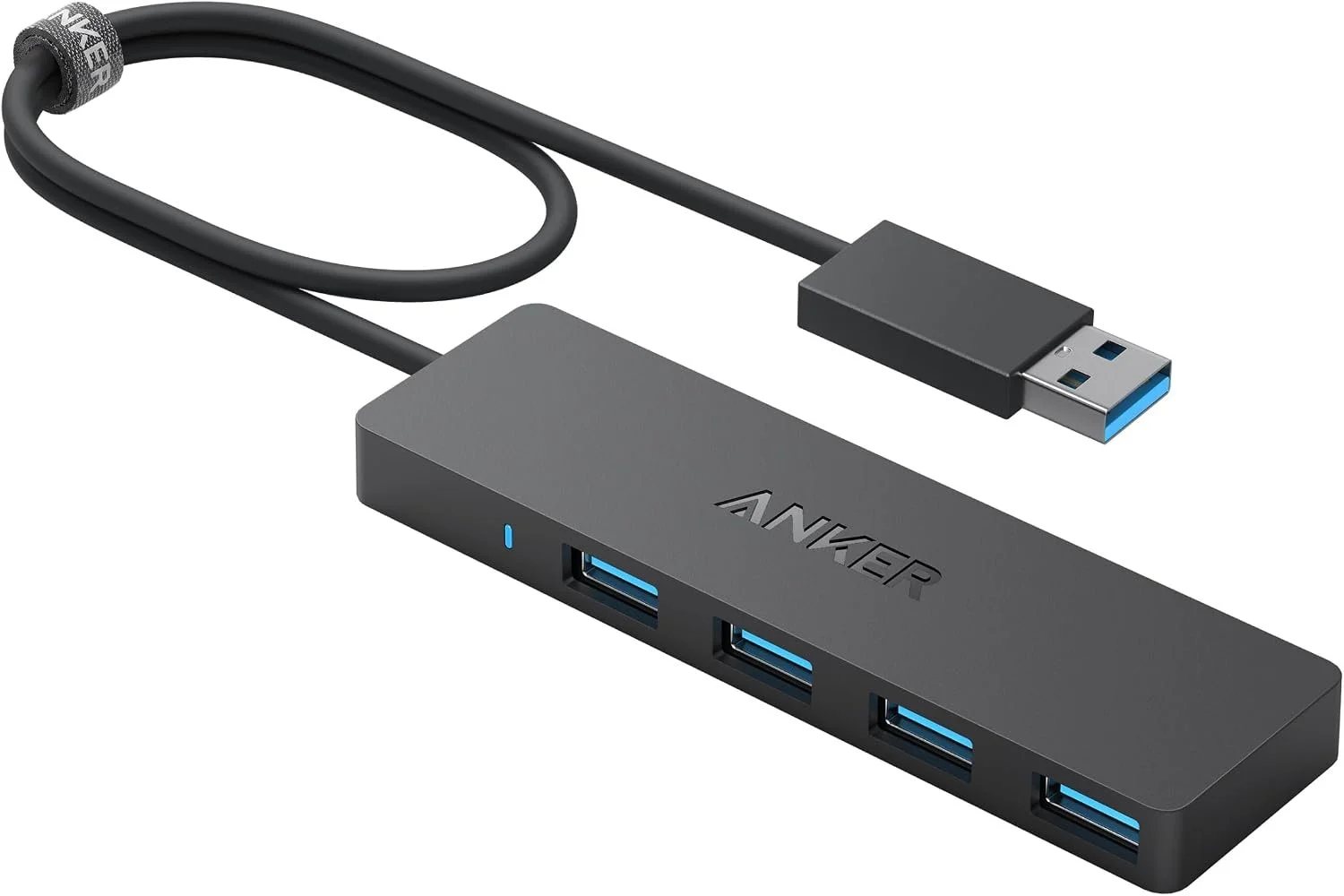
The Anker 4-Port USB 3.0 Hub is one of the simplest and cheapest ways to add more connectivity to a gaming setup. Instead of constantly swapping your keyboard, mouse, USB drive, controller cable, or other accessories, it turns a single USB-A port on your computer into four.
All four ports support USB 3.0 data speeds of up to 5Gbps, making the hub suitable for transferring files as well as connecting compatible gaming and desktop peripherals. Its slim design also takes up very little room, which is useful on gaming desks where space can disappear quickly.
The version we reviewed includes a 2-foot built-in USB-A cable, giving desktop users more flexibility when positioning the hub. Anker also designed the cable and housing with durability in mind, making this a more convincing budget choice than an unknown ultra-cheap USB hub.
At the time we reviewed the Amazon listing, this Anker hub was on sale for just $7.99 and had an exceptional 4.7-star rating from more than 134,000 customer reviews, along with Amazon's Overall Pick badge. One important limitation is that this is a data hub and does not support device charging. But for adding four USB data ports to a PC for very little money, it offers outstanding value.
✅ Pros
- Extremely affordable
- Turns one USB-A port into four
- Up to 5Gbps USB 3.0 data transfer
- Useful for gaming and desktop peripherals
- Compact, lightweight design
- 2-foot cable provides flexible placement
- Outstanding customer review history
❌ Cons
- Does not support device charging
- USB-A connection rather than USB-C
- High-power devices may require a powered USB hub instead
Best For: Gamers who are running out of USB ports and want an inexpensive way to connect additional peripherals without replacing or upgrading their PC.
⭐⭐⭐⭐⭐ 4.8/5
🛒 Check Today's Price on Amazon
9. New Bee RGB Headphone Stand – Best Budget Gaming Headset Stand
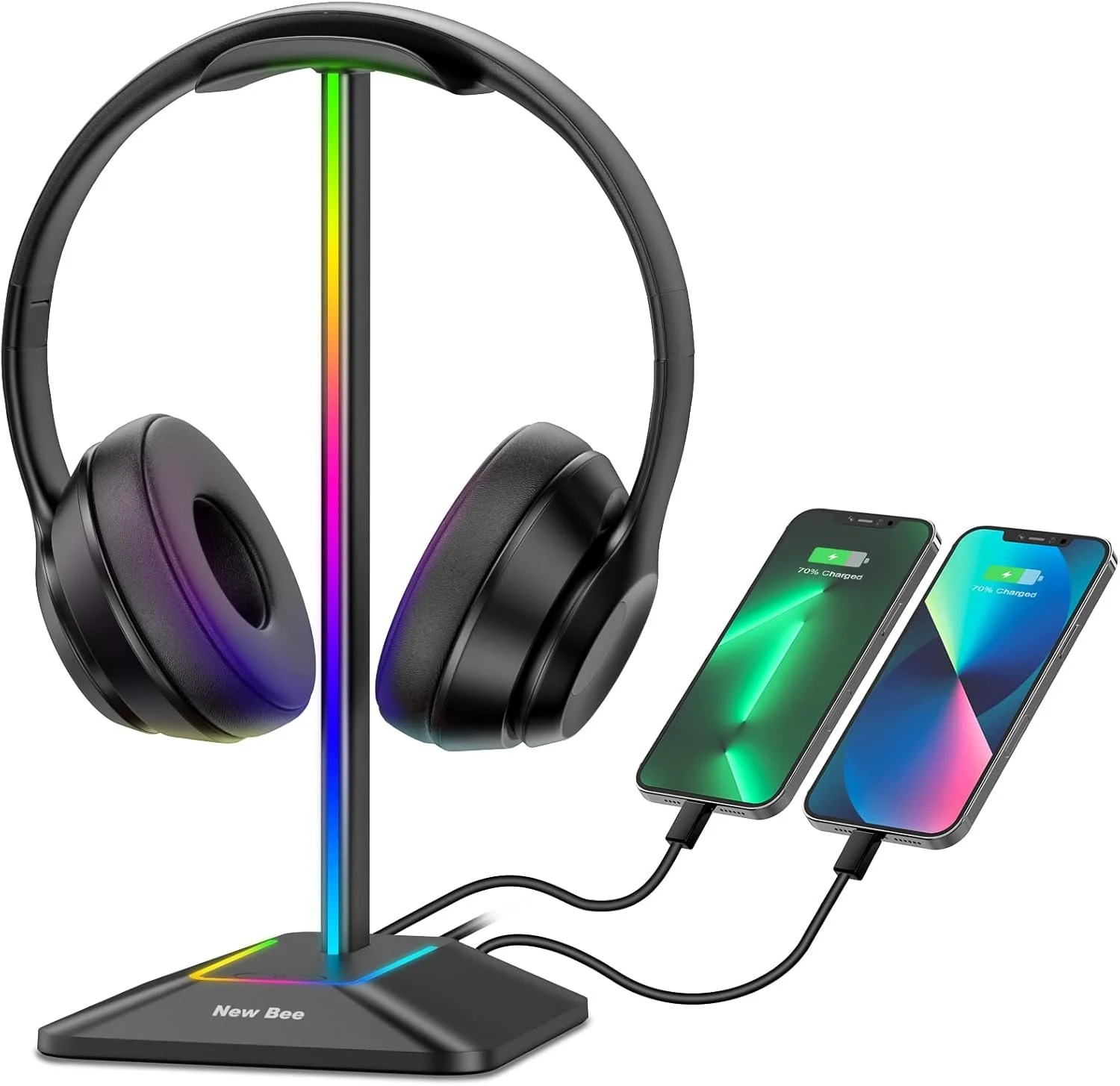
The New Bee RGB Headphone Stand is our pick for the best budget gaming headset stand because it does more than simply give your headphones somewhere to hang. It combines headset storage, RGB lighting, and extra USB connectivity in one inexpensive desktop accessory.
The stand features seven RGB lighting modes, adding some gaming-style illumination without requiring another expensive lighting system. A simple touch control lets you change the lighting, making it easy to match the stand with the rest of your setup.
New Bee also includes USB-C and USB-A ports that can be used for charging and compatible data connections. The aluminum support provides a sturdy frame, while the wide protective cradle helps support the headset headband and the non-slip base keeps the stand stable on the desk.
At the time we reviewed the Amazon listing, the New Bee RGB Headphone Stand was priced at $15.19 and had a strong 4.7-star rating from more than 2,800 customer reviews. There are cheaper basic headphone stands available, but the combination of RGB lighting, useful USB ports, and solid construction makes this one a much better gaming-desk upgrade for the money.
✅ Pros
- Affordable gaming desk upgrade
- Seven RGB lighting modes
- USB-C and USB-A ports
- Supports charging and compatible data connections
- Sturdy aluminum support
- Protective headset cradle
- Non-slip base
❌ Cons
- Takes up some desk space
- RGB effects are simpler than premium lighting systems
- Requires a USB connection to power its extra features
Best For: Gamers who want an inexpensive way to organize their headset while adding RGB lighting and extra USB connectivity to their desk.
⭐⭐⭐⭐⭐ 4.7/5
🛒 Check Today's Price on Amazon
10. VIVO 2-Pack Under-Desk Cable Management Trays – Best Budget Cable Management Upgrade
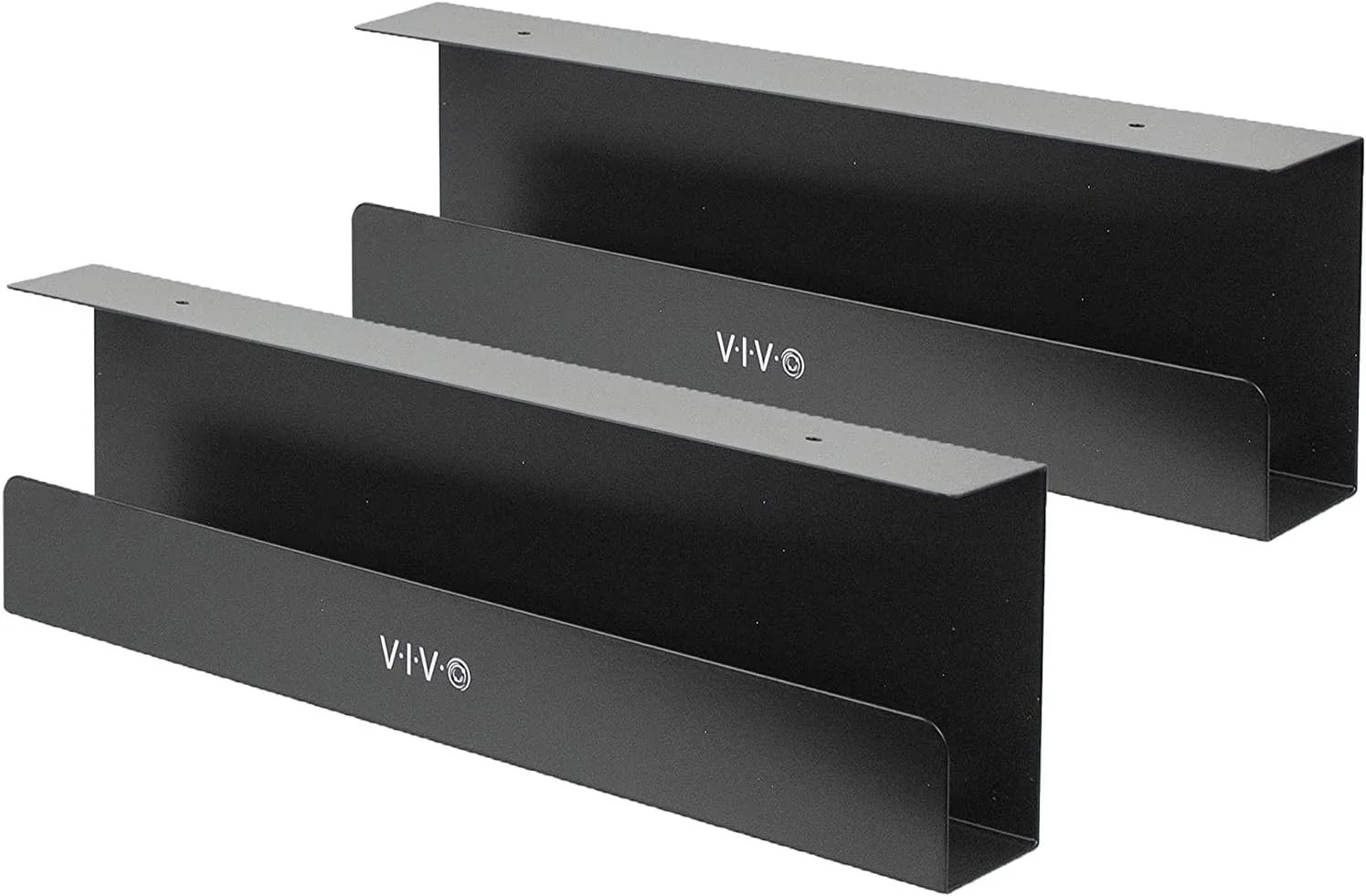
The VIVO 2-Pack Under-Desk Cable Management Trays finish our budget gaming setup with something that is not flashy but can make a huge difference: getting cables, power strips, and adapters off the floor and out of sight.
You get two metal cable trays, giving you considerably more organization space than a single-tray solution. Each tray measures approximately 16.5 × 3 × 4.5 inches and can support up to 11 pounds, providing enough capacity for cables, power strips, and smaller adapters.
The trays mount underneath compatible wood, particle-board, or MDF desks. This keeps cables elevated instead of hanging behind the desk or collecting on the floor, helping a gaming setup look cleaner while also making cables easier to organize.
At the time we reviewed the Amazon listing, the two-pack was priced at $37.99 and had a 4.6-star rating from around 900 customer reviews. It's more expensive than simple cable clips, but you're getting two sturdy trays capable of organizing much more of the wiring underneath a complete gaming setup.
✅ Pros
- Two cable trays included
- Strong metal construction
- Each tray supports up to 11 lb
- Holds cables, power strips, and small adapters
- Keeps cables off the floor and out of sight
- Great for cleaning up a full gaming setup
- Good value compared with buying multiple organizers
❌ Cons
- Requires mounting underneath the desk
- Not ideal for desks you don't want to screw into
- Less exciting than RGB accessories, but far more practical
Best For: Gamers who have finished building their setup and want an affordable way to hide power strips, adapters, and messy cables underneath the desk.
⭐⭐⭐⭐⭐ 4.7/5
Final Thoughts
You don’t need an expensive setup to make gaming more comfortable, organized, and enjoyable. These 10 picks focus on upgrades that offer real value—from a better mouse and keyboard to RGB lighting, improved audio, extra USB ports, and cleaner cable management.
Start with the upgrades that will make the biggest difference to your setup, then add the extras over time. A great gaming setup isn’t about spending the most—it’s about spending smart.
